25 August 2026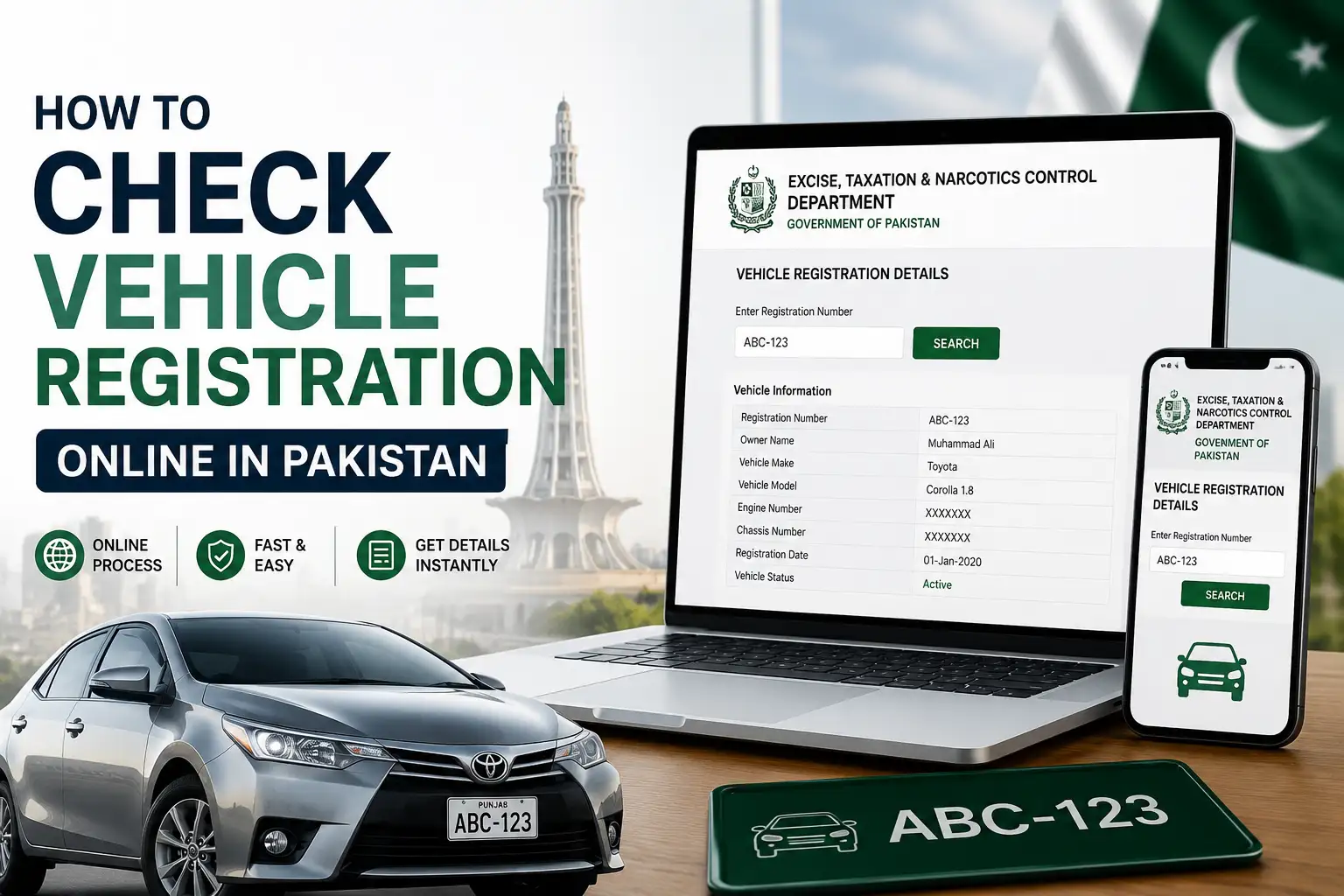
Buying a used car or bike in Pakistan without checking its registration details first is honestly one of the riskiest things you can do. Stolen vehicles, fake documents, and mismatched ownership records are more common than most people realize, and the good news is that verifying a vehicle online now takes just a couple of minutes. Whether you're buying, selling, or just want to confirm your own vehicle's details, here's a complete walkthrough of how it works across Pakistan.
Why You Should Actually Bother Checking
It's tempting to skip this step, especially if a deal looks straightforward or the seller seems trustworthy. But a quick online check can save you from a lot of trouble down the road. It confirms that the person selling the vehicle is actually the registered owner, shows you whether the token tax has been paid or is overdue, and can flag if the vehicle has been reported stolen or has any outstanding legal issues attached to it. None of this takes more than a few minutes, so there's really no good reason to skip it before handing over your money.
Check Vehicle Registration in Punjab (MTMIS)
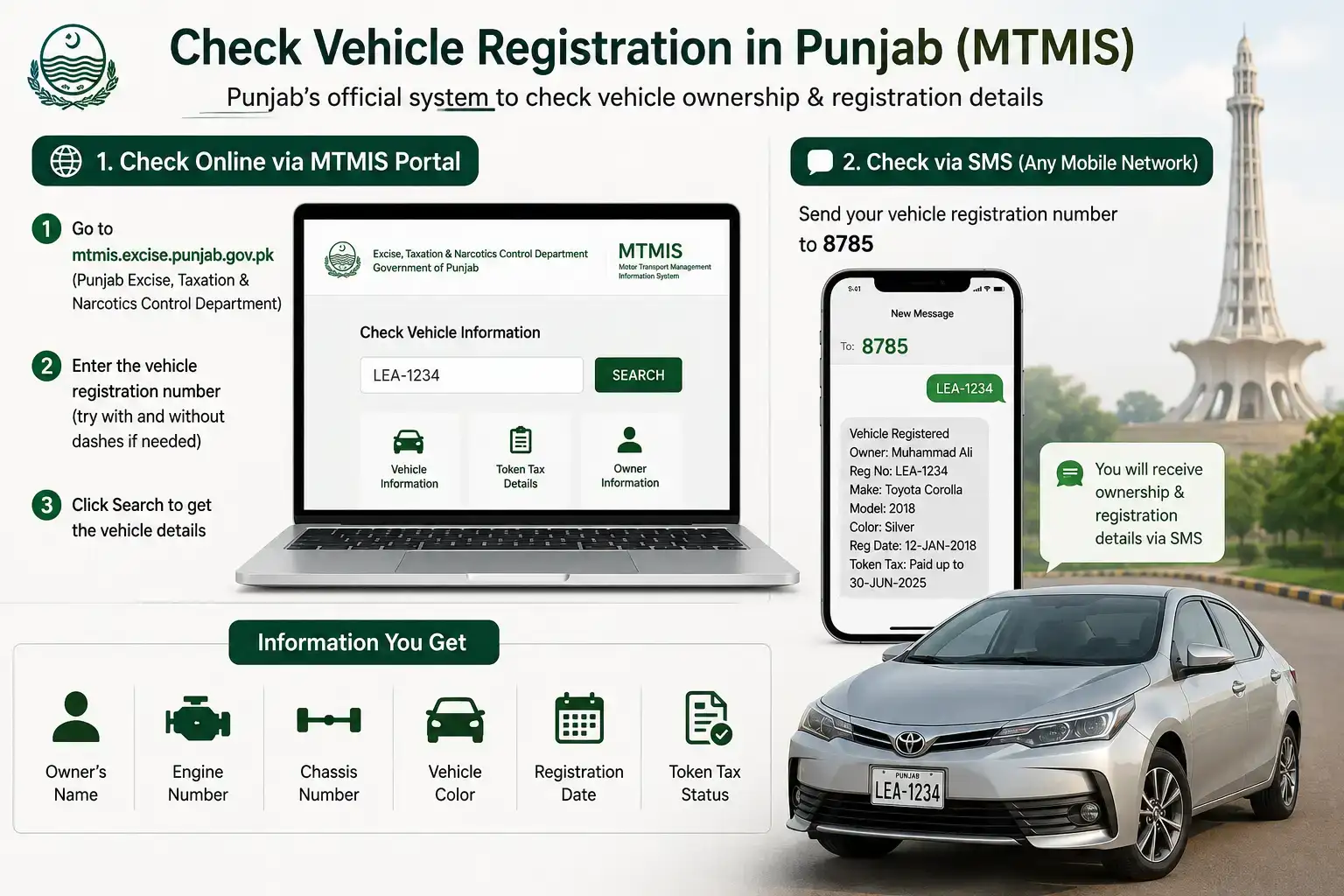
Punjab has the most developed system out of all the provinces, called MTMIS, short for Motor Transport Management Information System. It's built and maintained by the Punjab Information Technology Board on behalf of the Excise and Taxation Department, and it covers pretty much every city in the province, from Lahore and Rawalpindi to Multan, Faisalabad, Gujranwala, and beyond.
Here's how to use it:
- Go to the official MTMIS Punjab portal at mtmis.excise.punjab.gov.pk, run by the Punjab Excise, Taxation and Narcotics Control Department (you can also reach it through the main department website, excise.punjab.gov.pk)
- Enter the vehicle's registration number exactly as it appears on the number plate (try it with and without dashes if the first attempt doesn't work)
- Submit the request, and the system will show you details like the owner's name, engine and chassis number, vehicle color, registration date, and token tax status
If you'd rather not use a browser, Punjab also offers an SMS based check. Just text your vehicle's registration number to 8785, and you'll get basic ownership and registration details sent back to you. This is a handy backup option if you're standing somewhere without great internet access, like a car showroom parking lot.
It's worth mentioning that Punjab has also been rolling out biometric verification for vehicle registration and transfer through the Pak Identity App (search for "Pak Identity" on the Google Play Store or Apple App Store, and always confirm you're downloading the official NADRA-linked version), so if you're in the middle of buying or transferring a vehicle rather than just checking its status, keep an eye on updates from the Excise Department, since the process around this is still evolving.
Check Vehicle Registration in Islamabad (ICT)
If the vehicle is registered in Islamabad rather than Punjab, you'll need to use a separate system, since Islamabad falls under the Excise & Taxation Department, ICT Administration, not Punjab's Excise Department. A lot of people mix this up and end up confused when their vehicle doesn't show up on the Punjab MTMIS portal.
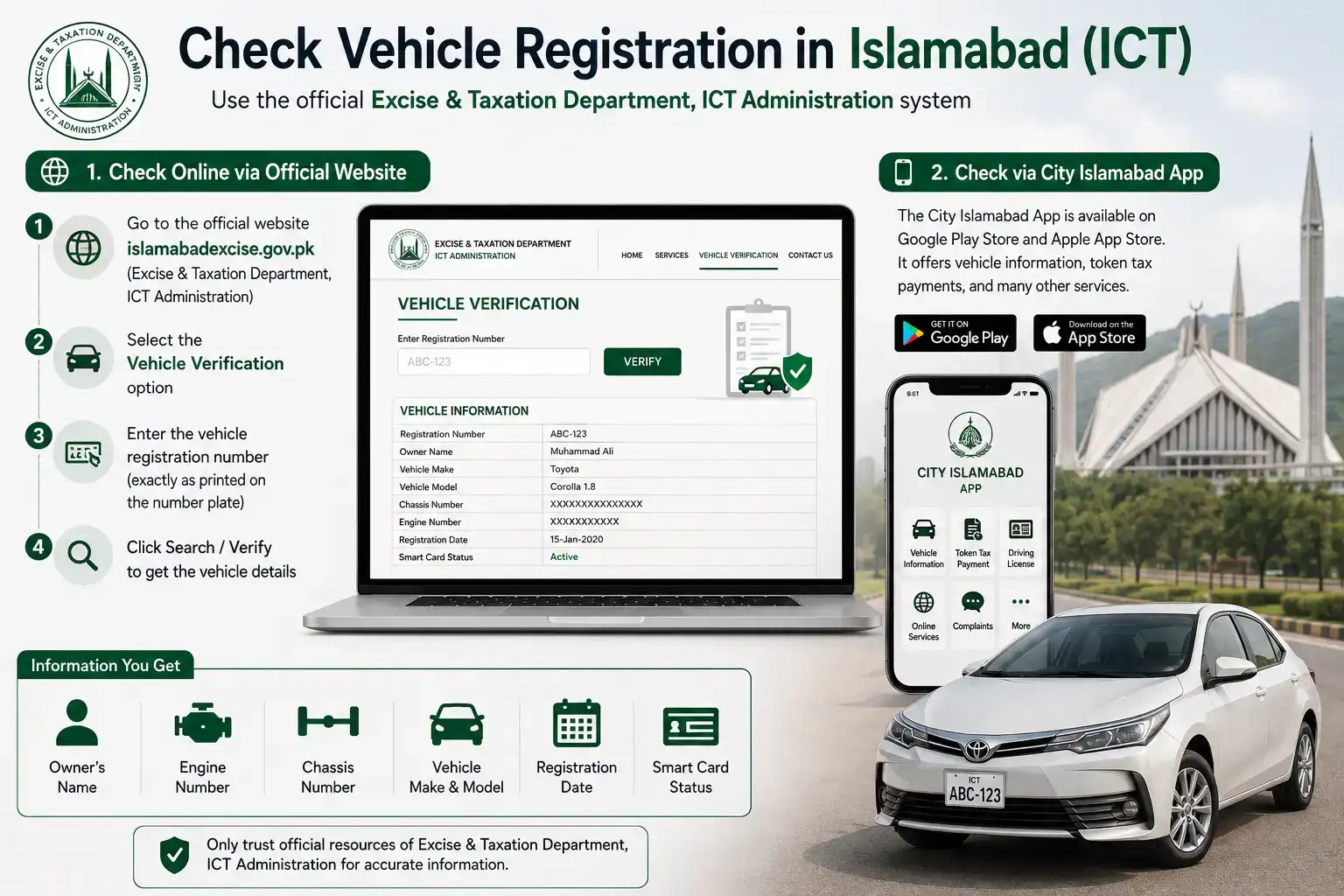
To check an Islamabad registered vehicle, visit the official Excise & Taxation Department Islamabad website at islamabadexcise.gov.pk, select the vehicle verification option, and enter the registration number exactly as printed on the number plate. The result will show you similar details, including ownership, registration date, and smart card status. The department also runs a City Islamabad App, available on the Google Play Store and Apple App Store, which offers token tax payments and related services alongside vehicle information. The Islamabad Excise website itself notes that only its official resources should be trusted for department related information, so it's worth bookmarking the real site rather than relying on search results alone.
Check Vehicle Registration in Sindh, KP, and Balochistan
The other provinces have their own excise and taxation departments handling vehicle records, and while their online systems aren't always as smooth or as widely used as Punjab's MTMIS, they do offer verification services through their respective official websites. If you're checking a vehicle registered in Karachi, Hyderabad, Peshawar, Quetta, or elsewhere outside Punjab and Islamabad, your best bet is to search for that province's Excise and Taxation Department website directly, since the verification portal will be listed under vehicle related services there.
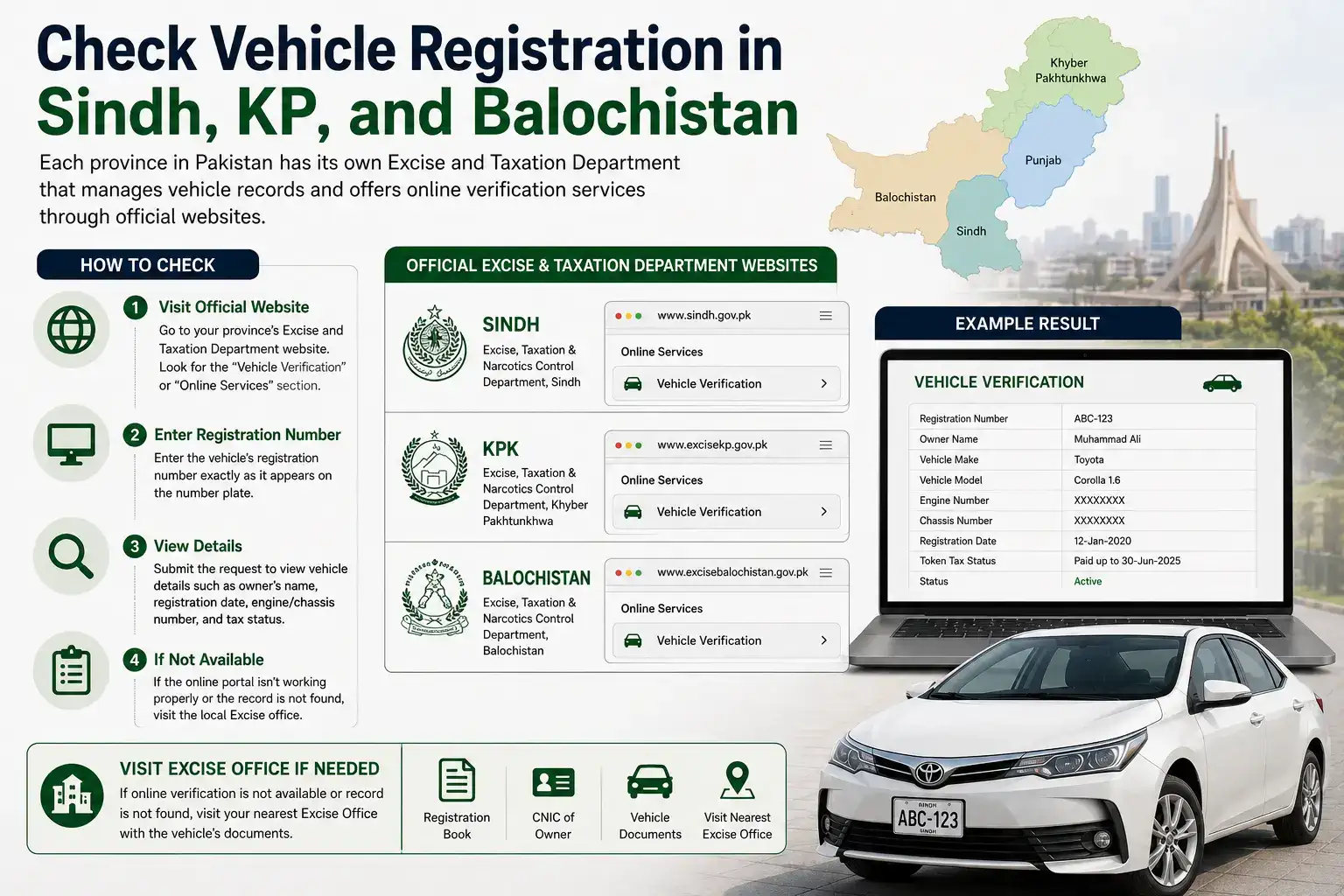
If the online portal for a particular province isn't working well or the vehicle's record doesn't show up, visiting the local Excise office in person with the vehicle's documents is always a reliable fallback.
What to Do If Your Vehicle's Record Doesn't Show Up
Sometimes you'll enter a registration number and get nothing back, or the details that appear don't quite match what's on the physical documents. This usually comes down to one of a few things: the number was typed slightly wrong, there's a formatting mismatch ( some systems expect dashes, others don't ), or the vehicle's record genuinely hasn't been updated in the database yet, which does happen occasionally after a recent transfer or new registration.
If double checking the number doesn't solve it, the next step is contacting your local Excise and Taxation office directly. They can pull up the physical file and either confirm the correct details or update the online record if something was entered incorrectly on their end.
A Quick Word About Third Party Websites
Just like with CNIC or bill checking, you'll come across a number of independent websites that offer vehicle verification services by pulling data from the official government databases. Many of these are genuinely useful and can be quicker to use than navigating a slow government portal. That said, always cross check any important details, like ownership name or token tax status, against the official MTMIS or provincial Excise website before making a financial decision like buying a vehicle, just to be safe.
Frequently Asked Questions
Can I check any vehicle's registration using just the number plate?
Yes, for vehicles registered in Punjab through MTMIS, and similarly through Islamabad's ICT portal or other provincial systems, you just need the registration number to pull up basic ownership and registration details.
Is there an SMS option to check vehicle registration?
Yes, in Punjab you can text the vehicle's registration number to 8785 to receive ownership and registration details via SMS.
Why can't I find my vehicle on the MTMIS Punjab website?
Your vehicle is likely registered outside Punjab, for example in Islamabad or another province, which uses a separate verification system. Double check where the vehicle was originally registered.
Is checking vehicle registration online free?
Yes, checking registration details through official government portals like MTMIS or the ICT Excise website is completely free.
What should I do if the vehicle details look wrong or don't match?
Visit your local Excise and Taxation office with the vehicle's original documents so they can verify or correct the record directly.
Documents You'll Need If You're Transferring Ownership
Checking a vehicle's registration online is one thing, but if you're actually buying it and need to transfer ownership into your name, you'll need a specific set of documents ready before heading to the Excise office. This typically includes the original registration book or smart card, a copy of both the buyer's and seller's CNIC, the seller's original CNIC for in person verification, and a signed transfer application form, which is usually available at the Excise office itself or downloadable from the provincial Excise website.
It's also worth confirming that the token tax is fully paid up to date before the transfer goes through, since any pending dues on the vehicle usually need to be cleared first. This is actually one of the main reasons checking the vehicle's record online beforehand is so useful it lets you spot an unpaid token tax issue in advance rather than discovering it at the Excise counter after you've already agreed on a price with the seller.
Checking a vehicle's registration online before buying, selling, or transferring it really doesn't take long, and it's one of those small steps that can save you from a much bigger headache later. Whether you're using MTMIS in Punjab, the ICT portal in Islamabad, or your province's own Excise website, a couple of minutes of verification goes a long way.