26 August 2026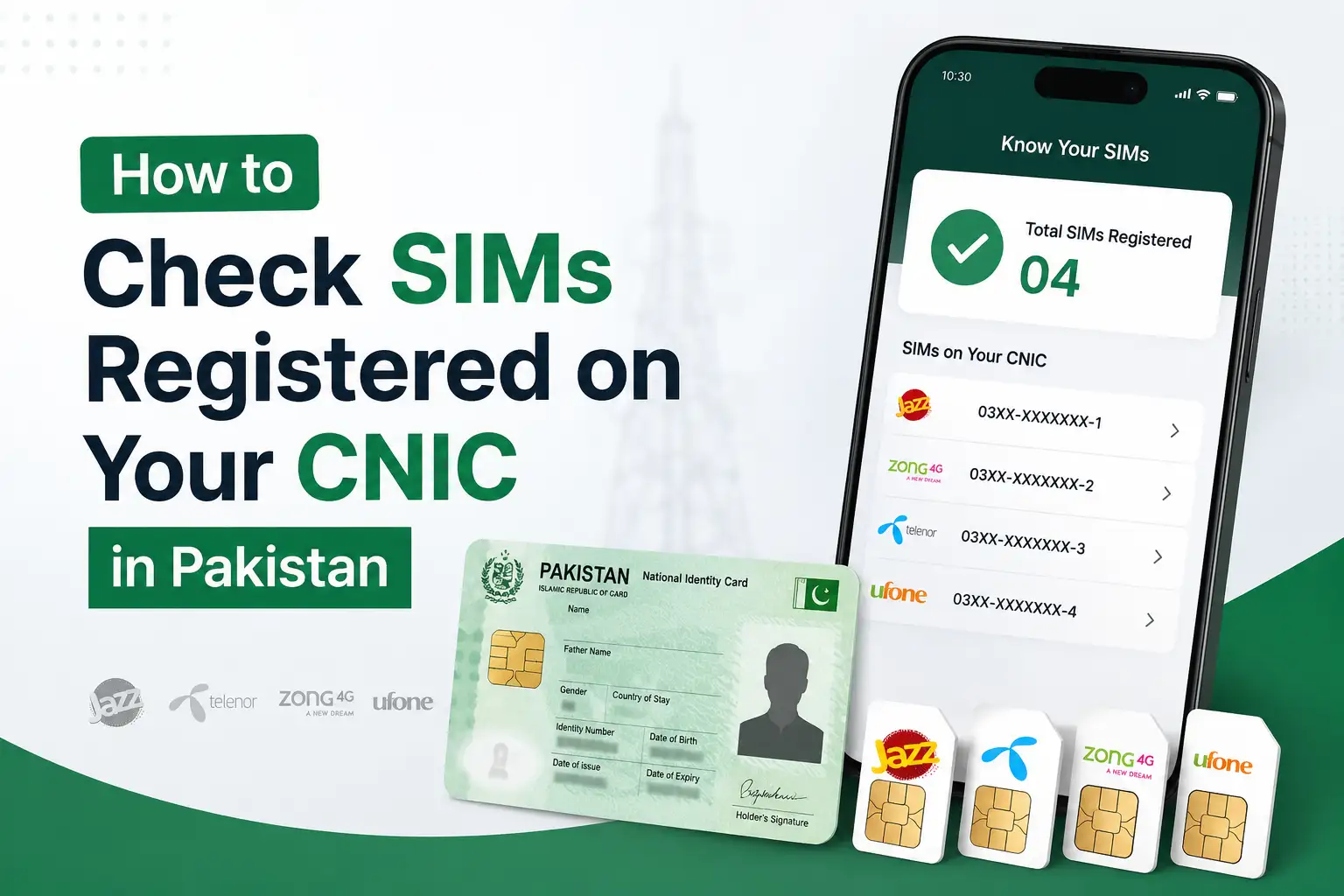
Most people are surprised the first time they actually check this. You assume you have one or two SIMs registered against your name, and then the reply comes back showing four, five, sometimes more, including numbers you don't even recognize. In Pakistan, it's actually pretty common for old SIMs, shop registered SIMs, or even fraudulently registered ones to sit quietly against your CNIC without you ever knowing. The good news is that checking this takes less than a minute, and it's something the Pakistan Telecommunication Authority (PTA) has made freely available to every citizen.
Why This Actually Matters
Your CNIC can legally have a limited number of SIMs registered against it, and anything beyond that limit is either something you forgot about or something you need to deal with. Unauthorized SIMs registered on your identity aren't just an annoying inconvenience either they can be used for scam calls, fraudulent banking OTPs, or even criminal activity that later gets traced back to your CNIC instead of the actual person misusing it. That's exactly why PTA introduced a dedicated system for this, so anyone can check and act on it without needing to visit an office.
Check Your SIMs Using the 668 SMS Code
This is the original and still the most widely used method, and it works on literally any phone, smart or basic, as long as you can send a text message.
Here's what to do:
- Open your messaging app on any mobile phone
- Type your 13 digit CNIC number without dashes or spaces
- Send it as an SMS to 668
- Within a few seconds, you'll get a reply showing the total number of SIMs registered against your CNIC, broken down by operator (Jazz, Zong, Telenor, Ufone, and others)
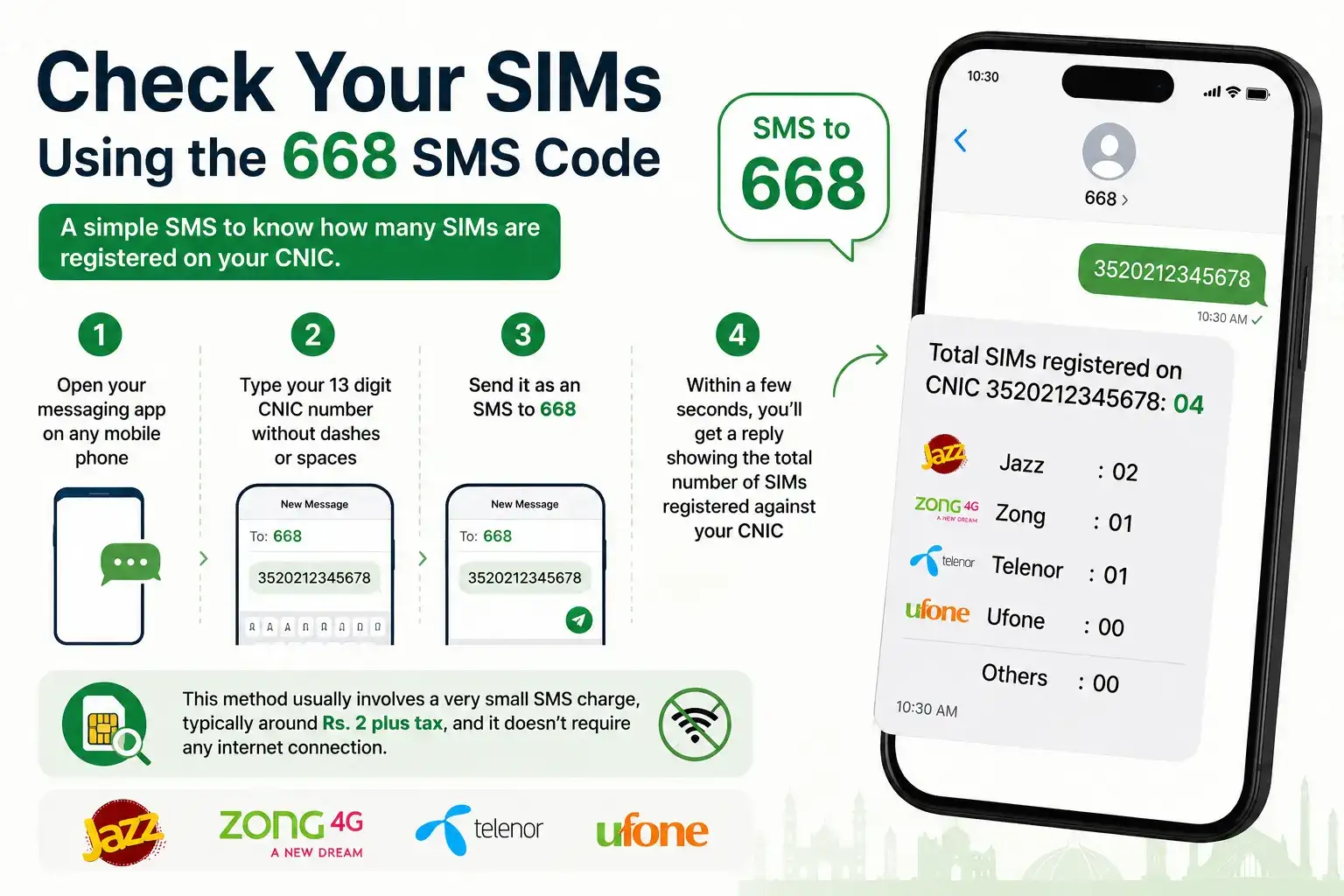
This method usually involves a very small SMS charge, typically around Rs. 2 plus tax, and it doesn't require any internet connection, which makes it especially useful if you're somewhere with weak signal or no data.
Check Your SIMs Online Through PTA's Web Portal
If you'd rather not send a paid SMS, or you're outside Pakistan and want to check your CNIC's SIM count, PTA also provides an online option through its official website. PTA has stated publicly that this web link is accessible to subscribers both inside and outside the country, so if you're an overseas Pakistani wondering whether someone has registered a SIM using your CNIC back home, this is genuinely useful.
The safest way to reach it is to go directly to PTA's official website at pta.gov.pk and look for the SIM Information System link under their consumer or subscriber services section, since the exact web address PTA uses for this portal has changed a few times over the years. Once there, you'll enter your CNIC number, complete a quick captcha, and get the same operator-wise SIM count you'd receive through the SMS method, at no cost.
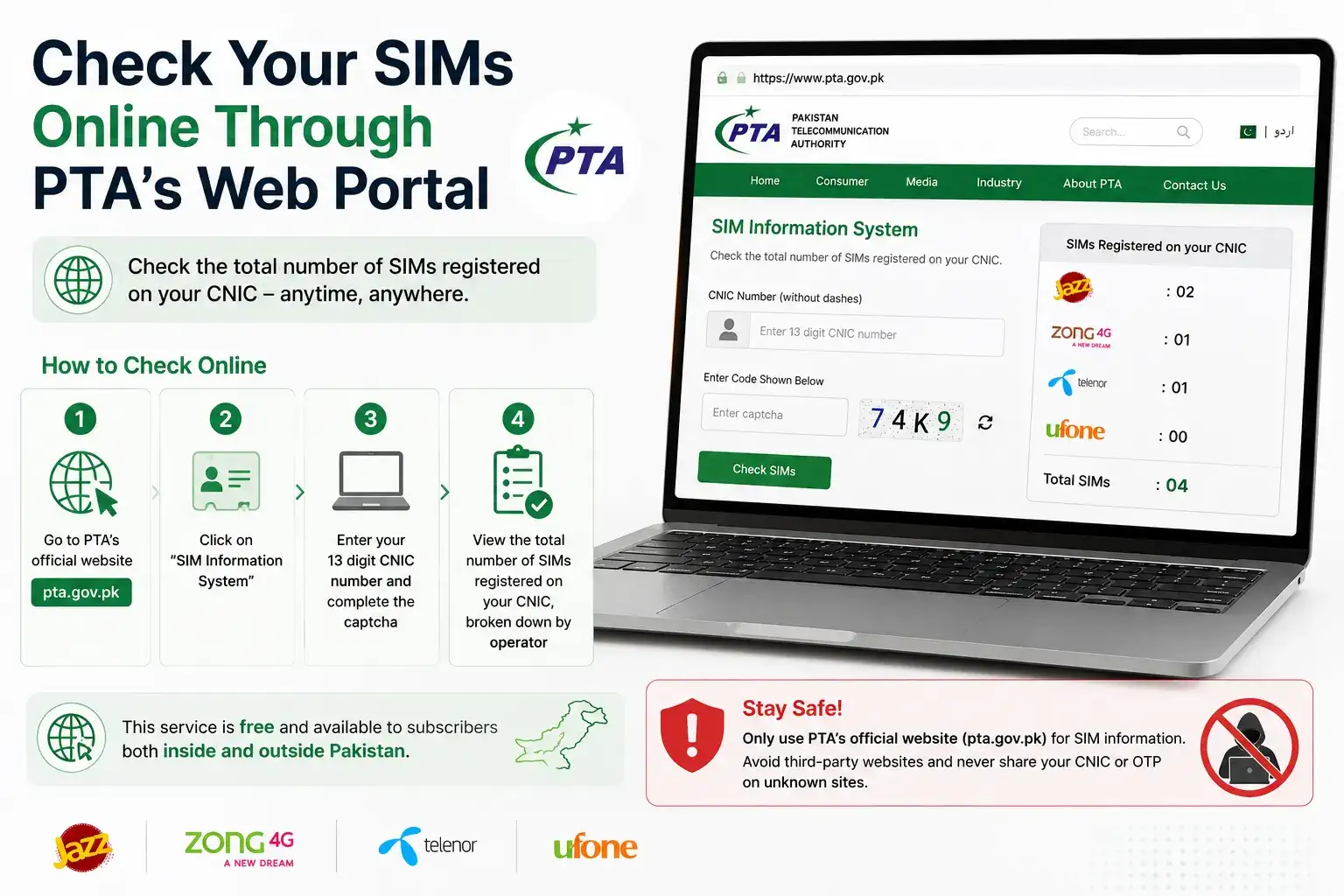
A quick word of caution here: a lot of independent websites now show up in search results claiming to offer the same CNIC SIM check, and some even use domain names that sound official. Stick to PTA's actual website for anything involving your CNIC number, and avoid entering your CNIC or any OTP codes into sites you found through a random search result rather than PTA's own domain.
Checking Just the SIM Currently in Your Phone
Sometimes you don't need your full CNIC history you just want to confirm who a specific SIM is registered to, maybe one you're about to buy secondhand or one that came with a used phone. For this, send the word MNP to 667 from that specific SIM. Within a few seconds, you'll get a reply showing the masked owner name and CNIC along with the activation date for that particular number, which is a smart thing to check before buying any used SIM.
What to Do If You Find a SIM You Don't Recognize
This is really the whole point of checking in the first place. If your 668 result shows a SIM you don't remember registering, don't just ignore it. Contact the relevant mobile operator directly, since they can tell you more details about that specific connection and start the process of blocking or transferring it out of your name. If the operator isn't cooperative or the situation seems more serious, like the number being tied to fraud, visiting your nearest NADRA registration center or the operator's customer service center in person, with your original CNIC, is the next step. You can also file a formal complaint with PTA if the operator doesn't resolve the issue.
It's worth acting on this fairly quickly rather than sitting on it, since an unauthorized SIM under your name is essentially a liability sitting there until you get it removed.
How Often Should You Actually Check This?
There's no strict rule here, but checking once every few months is a reasonable habit, especially if you've recently lost your CNIC, had it stolen, or gone through a period where you handed over copies of it for various applications, loans, or subscriptions. Identity theft involving CNIC copies isn't rare in Pakistan, and a SIM registered fraudulently in your name is one of the more common outcomes when that happens. A quick check costs you almost nothing and takes less time than reading this paragraph.
A Note on Biometric Verification
Over the past few years, PTA has been steadily tightening how SIMs get registered in the first place, requiring biometric verification (your fingerprint or, more recently, facial verification through NADRA's identity app) for new SIM issuance, ownership transfers, and even number portability. This is part of the broader effort to reduce fraudulent registrations from happening in the first place, rather than just catching them after the fact. It doesn't undo SIMs that were registered before these measures tightened, though, which is exactly why checking your existing SIM count is still worth doing even if you've never had an issue before.
Frequently Asked Questions
What is the code to check how many SIMs are registered on my CNIC?
Send your 13 digit CNIC number without dashes as an SMS to 668, and you'll get a reply showing your total SIM count broken down by operator.
Can I check my CNIC's SIM count if I'm outside Pakistan?
Yes, PTA's official web portal is accessible to subscribers both inside and outside the country, so overseas Pakistanis can check this too.
Is there a limit to how many SIMs I can have on my CNIC?
Yes, PTA enforces a maximum number of SIMs allowed per CNIC, and operators are required to follow this limit during registration.
What should I do if I find an unrecognized SIM on my CNIC?
Contact the relevant mobile operator to report and block it, and if needed, visit a NADRA center or file a complaint with PTA for further action.
Does checking my SIM count on 668 cost money?
Yes, it usually involves a small SMS charge of around Rs. 2 plus tax. Checking through PTA's official web portal is free.
How Many SIMs Are You Actually Allowed to Have?
This is one of the most common follow up questions once people see their SIM count for the first time. PTA does set a maximum limit on how many SIMs can be registered against a single CNIC, and mobile operators are required to enforce this cap at the point of registration, meaning they shouldn't be issuing a new SIM to you at all if you've already hit the limit. If your 668 result shows a number that's already at or close to that cap and you don't recognize all of them, it's a strong sign that some of those connections were registered without your knowledge and worth reporting right away. Since PTA occasionally revises this limit as part of broader telecom policy updates, it's a good idea to confirm the current cap directly on PTA's official website rather than relying on a number you might have heard a while back.
Checking which SIMs are registered against your CNIC really only takes a minute, and it's one of those small habits that can save you from a much bigger identity related headache down the line. If it's been a while since you last checked, or you've never checked at all, it's worth doing today.