27 August 2026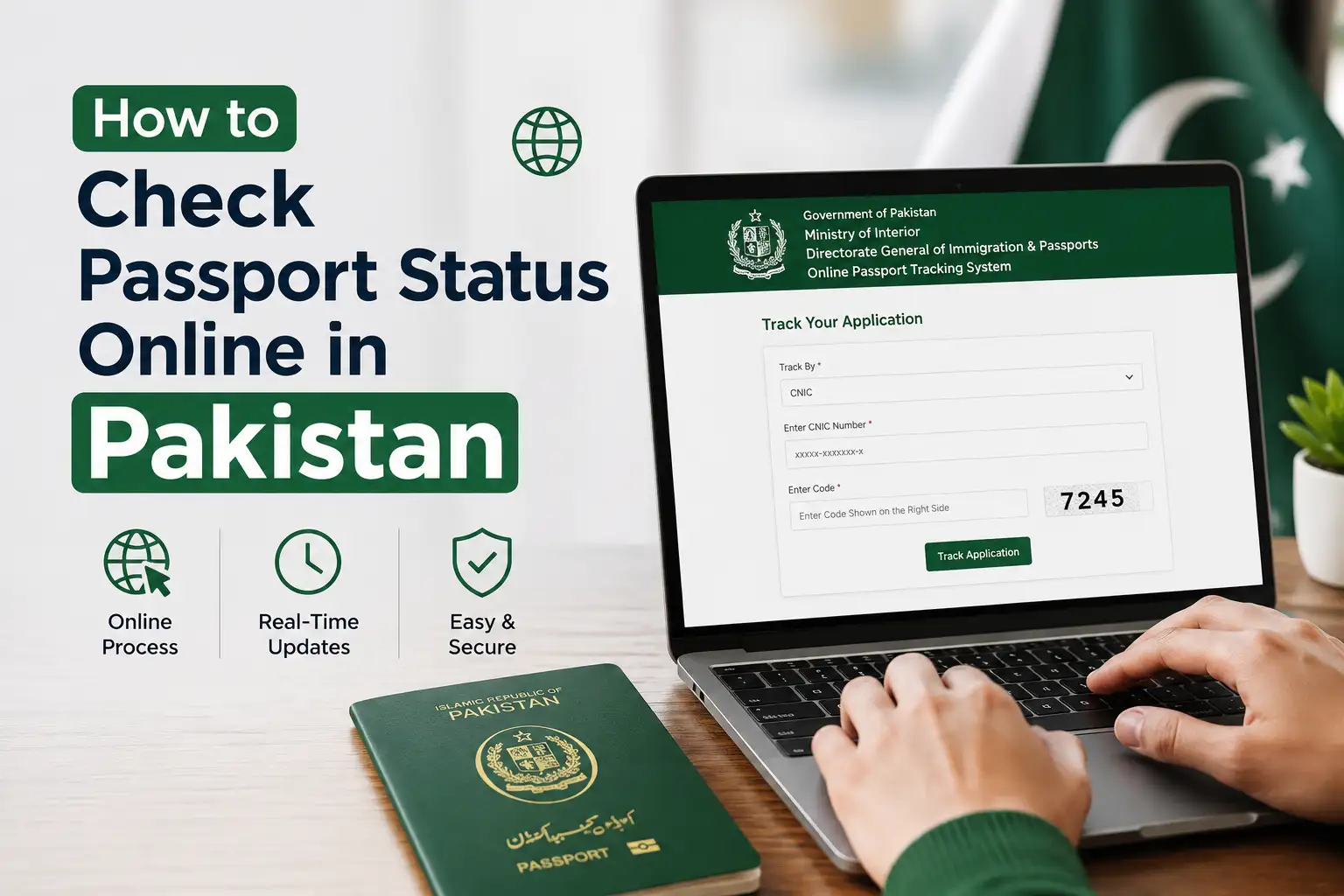
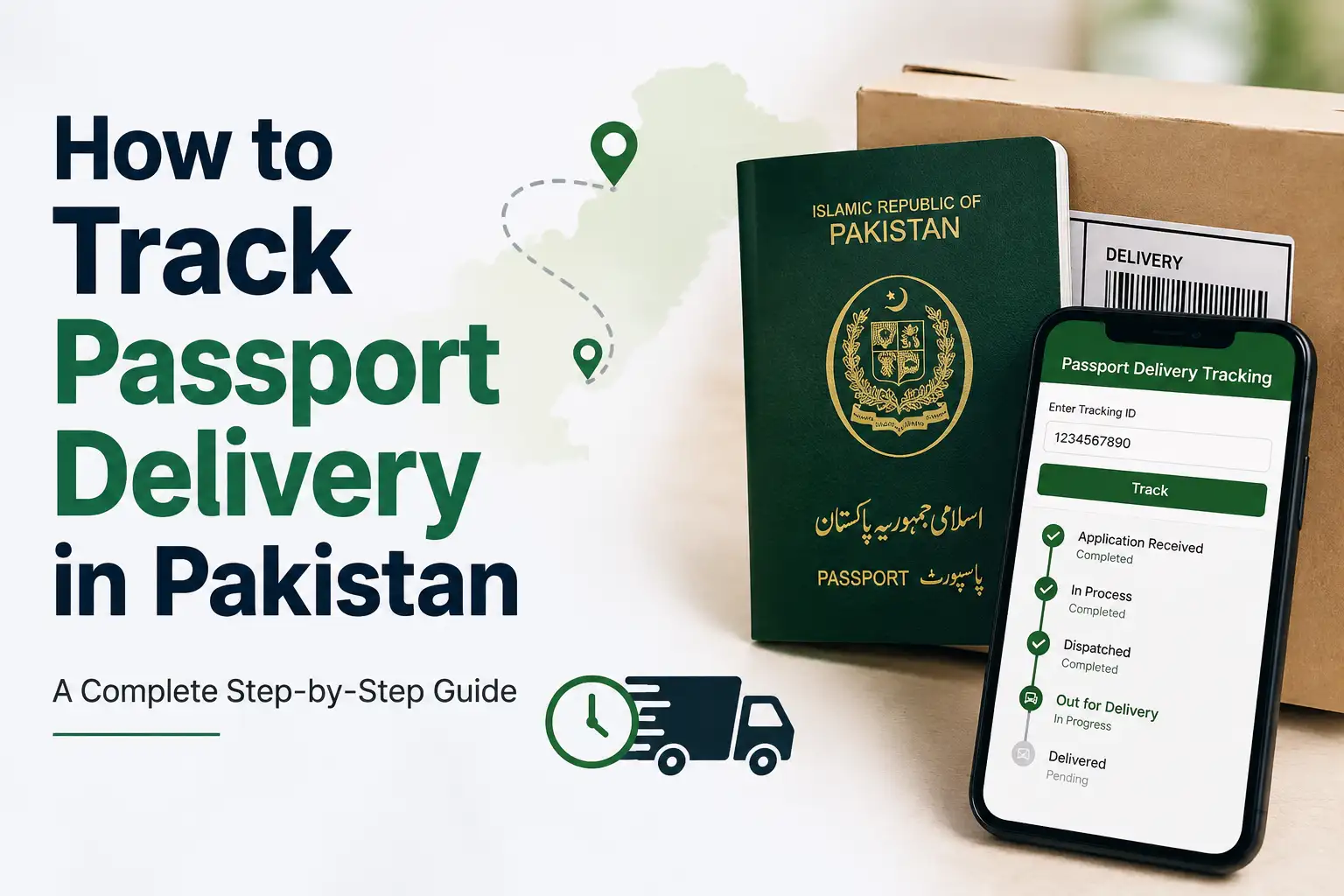
Waiting for a new or renewed passport is stressful enough without also wondering whether it's stuck somewhere in processing, especially if you've got travel plans coming up. The good news is you don't have to keep calling the passport office or making repeat visits just to get an update. The Directorate General of Immigration and Passports (DGIP) offers a proper online tracking system, along with SMS and embassy options for anyone living abroad, so you can check exactly where your application stands from your phone.
Here's a complete walkthrough of how to track your passport, what each status actually means, and what to do if things seem stuck.
What You Need Before You Start Tracking
Before checking your status, make sure you have your token number on hand, this is the unique 11 digit number assigned to your application the moment you submit it at the passport office. You'll find it printed on the receipt you were given when you submitted your documents. Some tracking methods also let you check using your CNIC number instead, so if you've misplaced your token number, that's a reasonable backup as long as you have your CNIC ready.
Method 1: Track Your Passport Through the DGIP Website
This is the most detailed way to check your application's progress, and it works whether you're in Pakistan or applied through the online portal from abroad.
- Go to the official DGIP website at dgip.gov.pk
- Look for the Passport Status Check or Track Passport option, usually featured prominently on the homepage
- Enter your 11 digit token number
- Enter your CNIC number
- Click Track Status or Check Status
Your result will show which stage your application is currently in, whether that's under processing, printing, or dispatched for delivery.
Method 2: Track Your Passport by SMS
If you'd rather not deal with a website, or you just want a quick answer without needing internet access, SMS tracking is available and works using a regular Pakistani SIM.
- Open a new text message on your phone
- Type your 11 digit token number
- Send it to 9988
- You'll receive a text back showing your current application status
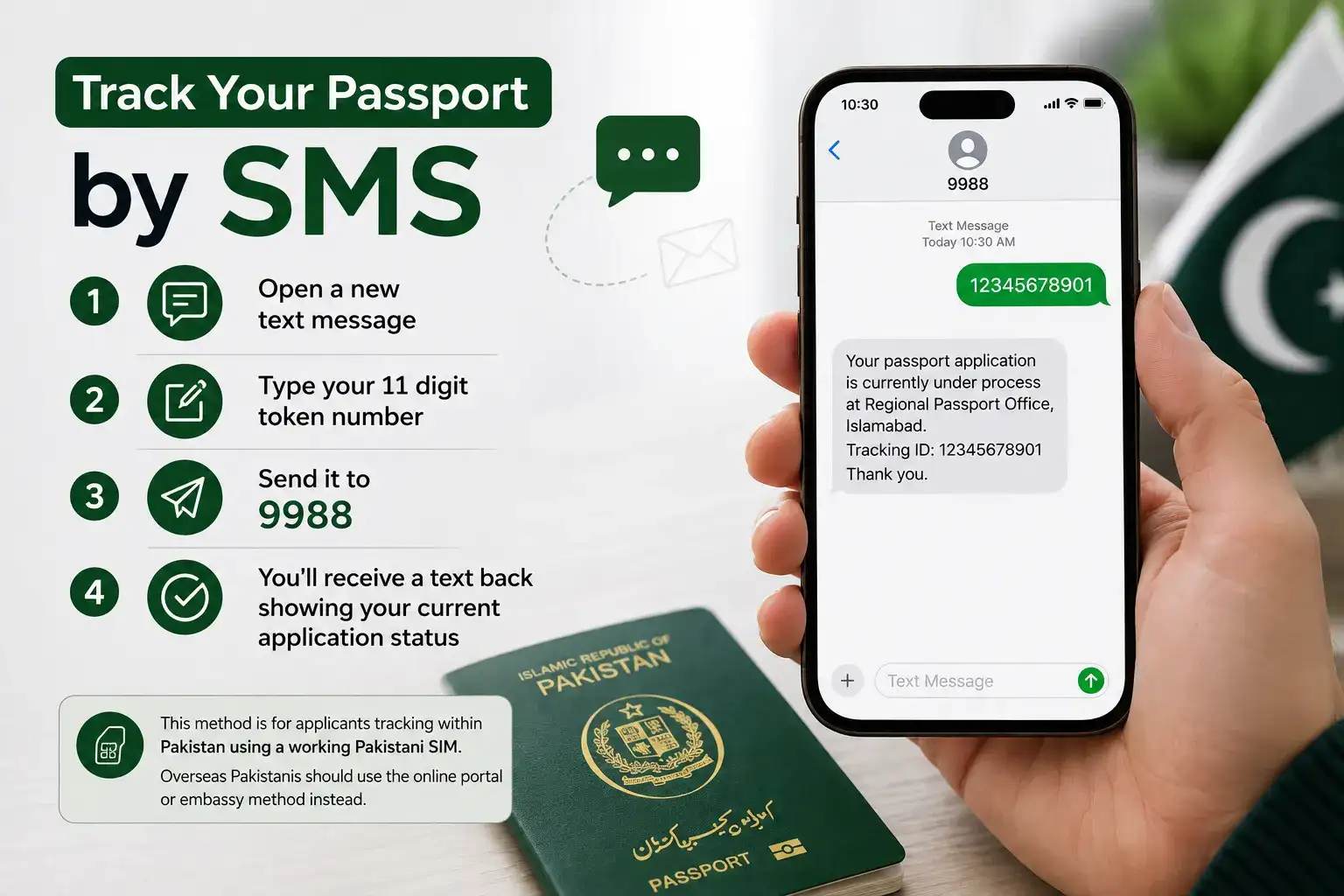
This method is specifically for applicants tracking within Pakistan using a working Pakistani SIM, so it's best suited for domestic applicants rather than overseas Pakistanis, who should use the online portal or embassy method instead.
Method 3: Track Your Passport If You're Living Abroad
Overseas Pakistanis have a couple of reliable ways to check their status without needing to be physically present in Pakistan.
Through the DGIP online portal: If you applied through the Online MRP e-Services Portal while abroad, you can log in with your account credentials and enter your token number to view your current status directly, the same way domestic applicants do through the website.
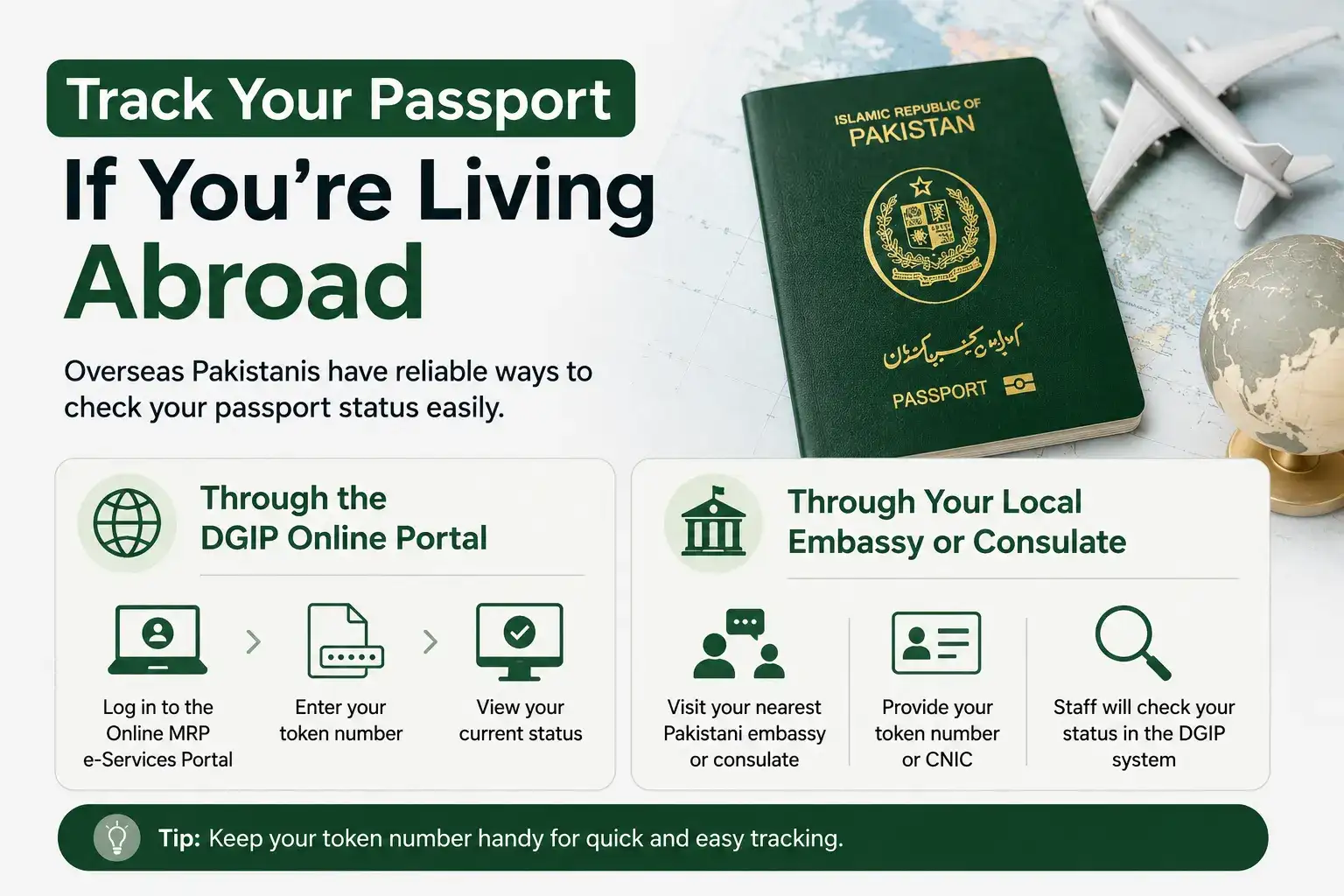
Through your local embassy or consulate: Most Pakistani embassies and consulates handle passport applications and renewals for citizens living in that country, and their staff can look up your status directly in the DGIP system if you provide your token number or CNIC. This is a good option if you're having trouble accessing the online system or simply prefer speaking with someone directly about your specific application.
What Each Status Update Actually Means
Once you check your status, you'll typically see your application described as being in one of several stages:
- Under Process / Under Verification — Your application is still being reviewed, this often includes cross checking your details against your NADRA record
- Printed — Your passport booklet has been printed and is being prepared for the next stage
- Dispatched — Your passport has been sent out, either to the passport office for pickup or for delivery, depending on how you applied
- Delivered / Ready for Collection — Your passport is ready, either at your local passport office or through whatever delivery method you selected during application
DGIP also typically sends an SMS and email notification once your passport is dispatched, so even if you're not actively checking the tracking system, you should still get notified when it's time to collect it.
What to Do If Your Status Hasn't Changed in a While
It's understandably frustrating watching a status stay the same for days or weeks, but in most cases, a stuck status points to a specific, fixable issue rather than a lost application.
The most common cause of a long delay is a mismatch between your application details and your NADRA record, something as small as a name spelling difference or an address discrepancy can cause your application to pause during verification until it's manually resolved. If your status hasn't moved in more than a couple of weeks, the most effective next step is contacting the passport office where you originally applied, bringing your token number and original receipt, so staff can look into the specific hold up on your file.
You can also call the DGIP helpline at 051-111-344-777 to confirm your application details using your token number or CNIC, which can sometimes clarify the issue without needing an in person visit at all.
If Your Status Shows "Not Available"
Occasionally, especially right after submitting your application, the tracking system might show Not Available or fail to return any result. This usually isn't a sign of a problem, it typically just means your data hasn't fully synced into the online system yet, or the system is undergoing a temporary update. Waiting a few hours and checking again usually resolves this on its own, and there's generally no need to visit the passport office over this specific issue unless it persists for several days.
Can Someone Else Collect Your Passport for You?
If you're unable to collect your passport in person, whether due to travel, health, or scheduling conflicts, it's worth knowing that rules around this vary depending on the specific passport office and application category. Some offices allow a designated family member to collect it on your behalf with proper authorization, while others may have stricter requirements. Rather than assuming this is possible, it's best to check directly with your Regional Passport Office beforehand, since showing up without confirming this in advance could mean an unnecessary wasted trip for whoever you send.
A Quick Word on Avoiding Scams
Passport tracking should never cost you anything beyond your original application fee, checking your status online, by SMS, or through your embassy is free. Be cautious of any third party website or individual asking for payment specifically to check, speed up, or confirm your passport status, since this is not how the legitimate DGIP system works. Always use the official DGIP website (dgip.gov.pk) or the SMS shortcode (9988) directly, rather than relying on unofficial third-party tracking sites you find through a general search.
Understanding the Difference Between Token Number and Application Number
This trips up a fair number of first time applicants, so it's worth clarifying clearly. Your token number is the 11 digit number generated the moment you submit your application at the passport office, and it's specifically what's used for tracking purposes throughout the DGIP system. Some receipts or documents may also reference an application number or file number, which can look similar but sometimes serves a different administrative purpose depending on the office.
If you're not sure which number you have, look closely at your receipt for a field explicitly labeled Token Number, since that's the one the tracking system is built around. If your receipt only shows a different reference number and you're unsure whether it will work for tracking, it's worth calling the DGIP helpline directly to confirm you're using the correct identifier before assuming your tracking attempts have failed.
What to Expect at Each Stage of the Process
Beyond just knowing the status labels, it helps to have a rough sense of what's actually happening behind each one, so you know what's normal and what might warrant a follow up.
Under Process typically takes the longest of the stages, since this is when your application details are being verified against your NADRA record and other background checks are completed. Printed usually moves relatively quickly once verification clears, since it simply means your physical passport booklet is being produced. Dispatched means your passport has left the printing facility and is on its way to either your selected pickup location or your delivery address, and this stage is usually followed shortly by the SMS and email notification confirming it's ready.
If your application seems to be taking unusually long at the "Under Process" stage specifically, compared to typical processing timelines for your service category, that's the stage most worth following up on directly, since it's where verification mismatches most commonly cause delays.
Applying for Passport Renewal vs. Tracking a Lost or Damaged Passport Replacement
While the tracking process itself works the same regardless of application type, it's worth knowing that lost or damaged passport replacement applications sometimes go through an additional verification step compared to a standard renewal, since the office needs to confirm the circumstances around the original passport before processing a replacement.
If you're tracking a replacement application specifically and notice it's taking longer than a typical renewal would, this additional verification step is often the reason, rather than something being wrong with your application. Providing any requested documentation promptly, like a police report for a lost passport, when asked by the passport office helps avoid unnecessary extra delay at this particular stage.
Frequently Asked Questions
Do I need internet access to track my passport?
No, if you're inside Pakistan, the SMS method to 9988 works on any working Pakistani SIM without needing internet access at all, making it a convenient option if you don't have reliable data or Wi-Fi.
What if I lost my token number?
Some tracking methods allow checking by CNIC number instead, though this may depend on the specific system you're using. If neither your token number nor CNIC pulls up a result, contacting the passport office where you applied, with any documentation you still have, is the best way to recover your application details.
How long does passport processing usually take?
Processing times vary depending on whether you selected normal, urgent, or fast track service when applying, along with your specific application category. Checking your status directly is the most reliable way to get a timeline specific to your own application rather than relying on general estimates.
Is passport tracking different for renewals versus new applications?
No, the tracking process itself works the same way regardless of whether you're applying for a new passport or renewing an existing one, using the same token number and CNIC based system.
Wrapping Up
Tracking a Pakistani passport application has become genuinely simple, whether you're checking through the DGIP website, sending a quick SMS, or reaching out to your local embassy if you're living abroad. Most applications move steadily through processing without any issues, and if yours does seem to stall, it's far more often a small verification mismatch than anything seriously wrong, something that's usually resolved with a direct call or visit to the office handling your application, without needing to pay anyone or go through an unofficial third party.