02 September 2026
Once you've applied for a new CNIC, a renewal, or a correction, the waiting period afterward can feel oddly stressful, especially if you need the card for something time sensitive like a bank account, a visa application, or a property transaction. Thankfully, NADRA has made checking your application status pretty straightforward, and you don't need to visit a registration center just to find out where things stand. Here's a complete breakdown of how it works.
What You'll Need to Check Your Status
Every method of checking your CNIC status relies on your tracking ID, sometimes also called a token number. This is the number printed on the receipt slip you were given at the NADRA Registration Center (NRC) when you submitted your application, and it's usually also sent to you via SMS right after your biometrics and documents were processed. It's a good idea to keep this slip or a photo of it somewhere safe until your CNIC actually arrives, since you'll likely check your status more than once during the wait.
Check Your Status Through SMS
This is the fastest and most widely used method, and it works on any phone without needing internet access.
- Open your messaging app
- Type your 10 to 15 digit tracking ID exactly as printed on your receipt
- Send it as an SMS to 8400
- Within a few seconds, you'll get a reply showing your current application status
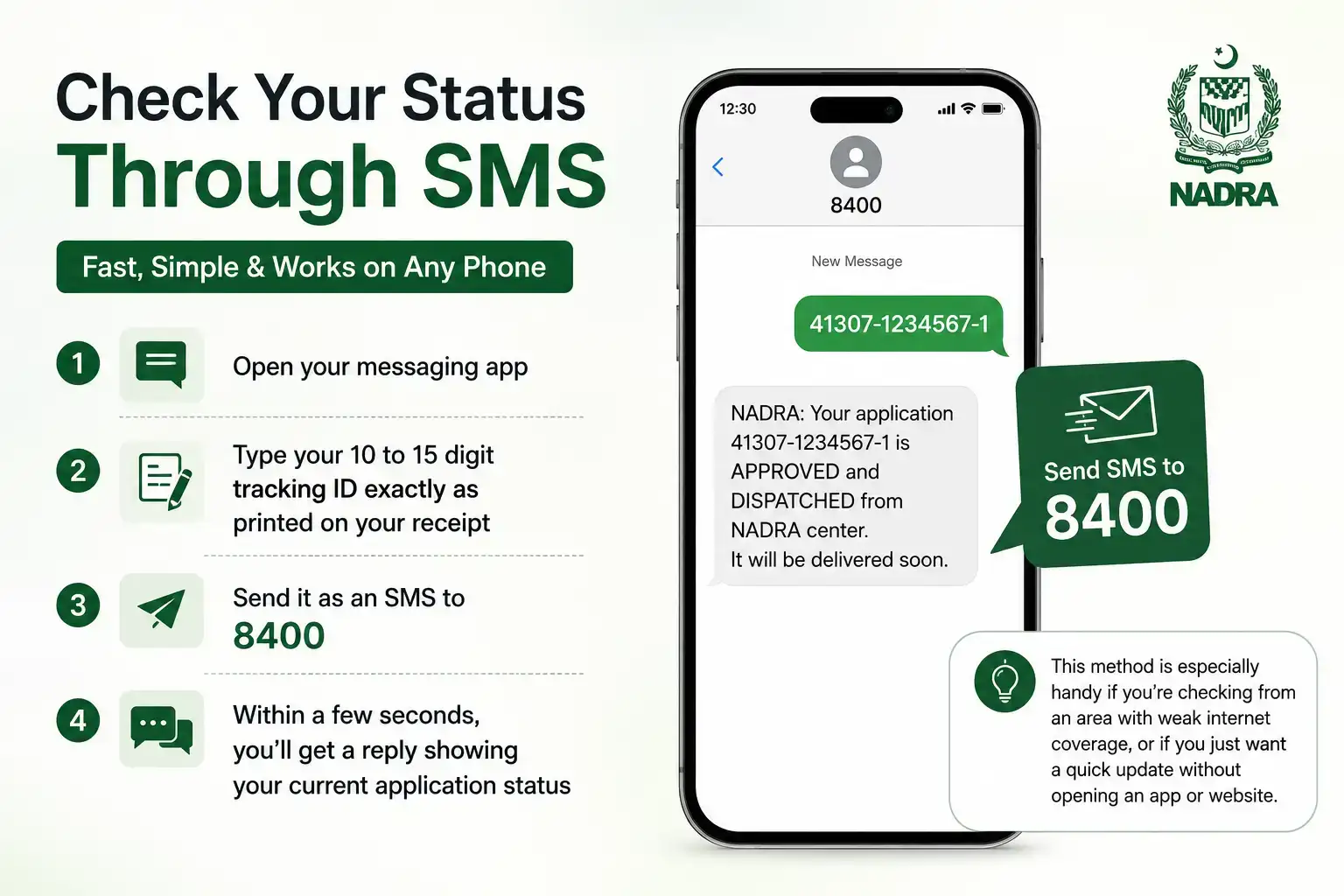
This method is especially handy if you're checking from an area with weak internet coverage, or if you just want a quick update without opening an app or website.
Check Your Status Through the Pak Identity App
NADRA's official app, Pak Identity, lets you track your application alongside other identity services like renewals and modifications.
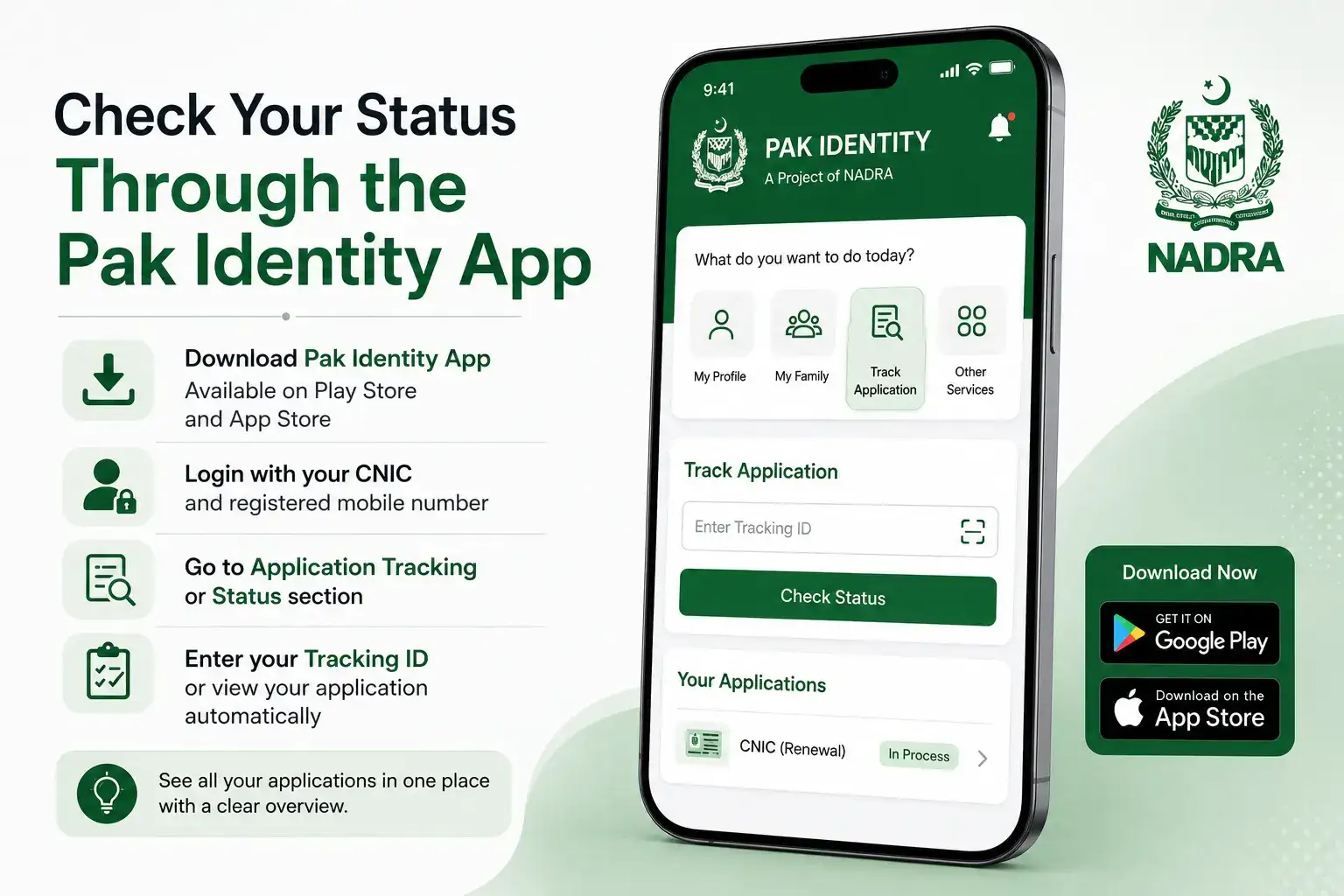
Here's how to use it:
- Download the Pak Identity app from the Google Play Store or Apple App Store, and make sure it's the official NADRA published version
- Log in using your CNIC number and registered mobile number, and complete biometric verification if prompted
- Go to the application tracking or status section
- Enter your tracking ID, or if your application is already linked to your account, it may show up automatically
This method is particularly useful if you applied for multiple things at once, like a renewal alongside a family member's new CNIC, since the app can show a cleaner overview than a single SMS reply.
Check Your Status Through id.nadra.gov.pk
NADRA's web based identity portal, id.nadra.gov.pk, offers the same tracking feature through a browser instead of an app. If you've already created an account here, logging in and entering your tracking ID will show your current status along with any other services tied to your profile, like a Family Registration Certificate request if you've submitted one.
If you haven't set up an account on this portal before, you can usually still check basic status information as a guest by entering your tracking ID directly, without needing to log in first.
What the Different Status Updates Actually Mean
Once you check your status, you'll typically see it move through a few recognizable stages, and understanding each one helps you avoid unnecessary worry.
Application Received simply confirms your biometrics and documents were successfully submitted at the NRC and your case has entered NADRA's system.
Under Process / Verification means your application is being reviewed against existing records, which is a routine part of every application, including simple renewals.
Printing means your physical card is actively being produced, which is generally one of the final stages before it's ready.
Ready for Dispatch / Delivered means your CNIC has either been dispatched for delivery or handed over already, depending on whether you opted for courier delivery or in-person collection at the time of application.
If your status shows something like Rejected or On Hold, it usually means additional documents or clarification are needed, and it's worth visiting the NRC where you applied or calling NADRA's helpline to find out exactly what's required to move forward.
How CNIC Delivery Actually Works
If you selected home delivery when applying, your CNIC will be sent through a courier service once printing is complete, and you'll typically get a separate courier tracking number once it's dispatched, which becomes the more useful thing to track at that stage rather than your original NADRA tracking ID. If you chose to collect it in person instead, your status will show as ready for pickup, and you can visit the same NRC where you applied to collect it, usually just by bringing your original token slip and, in some cases, your old CNIC if you were renewing.
Keep in mind that delivery windows can vary a bit depending on your location, with major cities generally seeing faster courier turnaround than more remote areas, so a status showing "dispatched" doesn't always mean it'll arrive within a day or two.
What to Do If Your Status Hasn't Changed in a While
It's fairly common to check your status and see the same stage for longer than you'd expect, and more often than not, this comes down to a minor issue like a document discrepancy or a verification delay rather than anything seriously wrong with your application. Rather than waiting indefinitely, it's worth calling NADRA's helpline directly or visiting the NRC where you applied, so staff can pull up your specific case and tell you exactly what, if anything, is holding it up.
It's also worth triple-checking that the tracking ID you're entering matches your receipt exactly, since even one incorrect digit will typically show no result at all rather than a clear error message explaining what went wrong.
Frequently Asked Questions
How do I check my CNIC status using my tracking ID?
Send your tracking ID via SMS to 8400, or check it through the Pak Identity app or id.nadra.gov.pk portal for the same information.
Can I check my CNIC status without a tracking ID?
Generally no, the tracking ID is required for status checks, so it's important to keep the receipt slip or SMS confirmation you received when applying.
How long does it usually take for a new CNIC to arrive?
This varies depending on whether you applied for urgent, executive, or normal processing, with urgent applications typically moving through the stages faster than standard ones.
What does it mean if my status shows "On Hold"?
It usually means additional documents or clarification are needed. Visiting the NRC where you applied or contacting NADRA's helpline will clarify exactly what's required.
Is checking my CNIC status online free?
Yes, checking through SMS to 8400, the Pak Identity app, or id.nadra.gov.pk is completely free of charge.
Understanding Urgent vs Normal Processing
When you first apply for your CNIC, you're usually given a choice between a few processing categories, and this choice directly affects how quickly your status moves through each stage. Normal processing is the standard, lower cost option but takes the longest, while urgent and executive categories cost more but move through verification and printing noticeably faster. If you're tracking your status and wondering why it seems to be taking a while, it's worth checking your original receipt to confirm which category you actually selected, since normal applications simply take longer by design rather than being stuck due to an issue.
This distinction matters especially if you're on a tight deadline, say you need your CNIC for an upcoming travel booking or a bank requirement. In that case, it's worth knowing that some NRCs allow you to upgrade an already submitted normal application to urgent by paying the fee difference, though this isn't guaranteed everywhere and depends on your specific center, so it's best confirmed by calling the NRC directly rather than assuming it's automatically available.
What Your Fee Receipt Tells You
Your original fee receipt, the same one with your tracking ID on it, actually contains more useful information than most people realize. Beyond the tracking number itself, it typically shows which processing category you paid for, the exact date of application, and sometimes the expected delivery timeframe based on that category. Holding onto this receipt isn't just about having your tracking ID handy, it's also your reference point if you ever need to dispute a delay or confirm what you actually paid for versus what NADRA's system shows.
If you've misplaced your receipt entirely and don't remember your tracking ID, you're not completely out of options. Visiting the NRC where you originally applied with your CNIC or old identity documents will usually let staff look up your application using your name and CNIC number instead, though this does take a bit longer than simply texting a tracking ID.
Getting Help If You're Stuck With No Tracking ID
Losing your tracking ID doesn't mean you're locked out of checking your status altogether, it just means you'll need to go through NADRA directly rather than a quick SMS or app check. Calling NADRA's official helpline and providing your CNIC number is usually the fastest route in this situation, since their system can pull up your application using your identity details even without the tracking number on hand.
If the helpline isn't able to resolve it over the phone, visiting the NRC in person with your original CNIC remains the most reliable fallback, and staff there can look into your specific application, confirm its current stage, and reissue a copy of your tracking details if needed. It's a good habit going forward to photograph your receipt slip the moment you get it, just so this situation doesn't repeat itself the next time you apply for something.
Checking your NADRA CNIC status really only takes a minute once you have your tracking ID on hand. Whether you use a quick SMS to 8400, the Pak Identity app, or the id.nadra.gov.pk portal, you'll always know exactly where your application stands without needing to make a trip to the registration center just to ask.