13 September 2026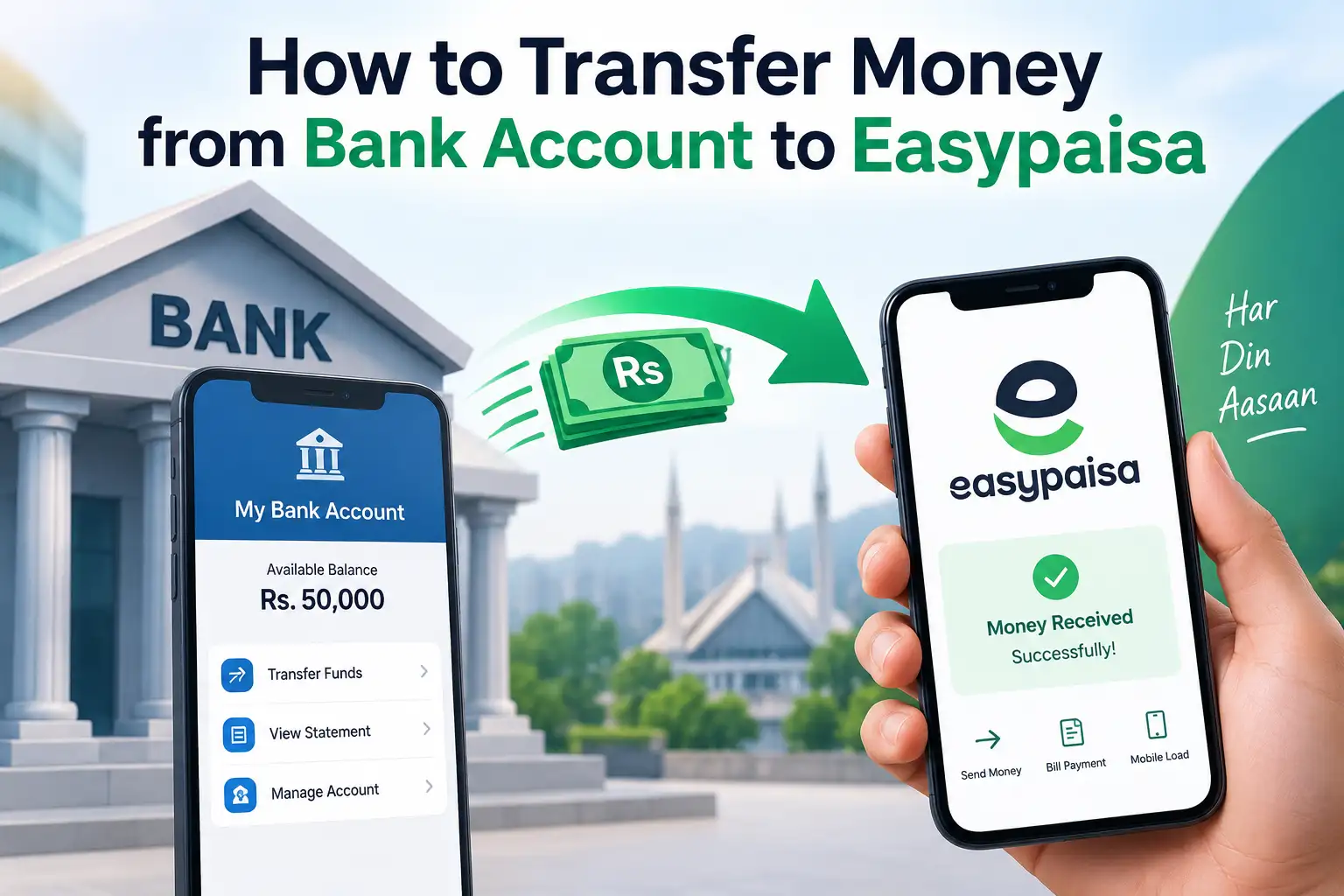
Say you've got money sitting in your regular bank account, but you need it in your Easypaisa wallet, maybe to pay someone who only accepts mobile wallet transfers, top up for something specific, or just keep enough in Easypaisa to cover small day to day payments without touching your main account. This isn't some obscure workaround, it's a completely normal transfer, and depending on what tools you already have open on your phone, there are two or three ways to actually do it. If JazzCash happens to be your wallet of choice instead, the same underlying logic applies there too, just swap Telenor Microfinance Bank for Mobilink Microfinance Bank in the steps below, and everything else works essentially the same way.
The Easiest Route: RAAST, If Your Bank Supports It
Pakistan's instant payment system, RAAST, was built specifically to move money between any bank and any wallet, free of charge, in real time, and this is genuinely the best option whenever it's available on both ends.
From your bank's mobile app:
- Log in and look for a RAAST or Instant Fund Transfer option, usually sitting somewhere near the regular fund transfer section
- Select the option to send to a RAAST ID rather than a full account number
- Enter the recipient's mobile number ( your own Easypaisa linked number, if you're moving money into your own wallet ), since this is what typically serves as someone's RAAST ID
- Enter the amount, confirm, and the money should land in the Easypaisa wallet within seconds
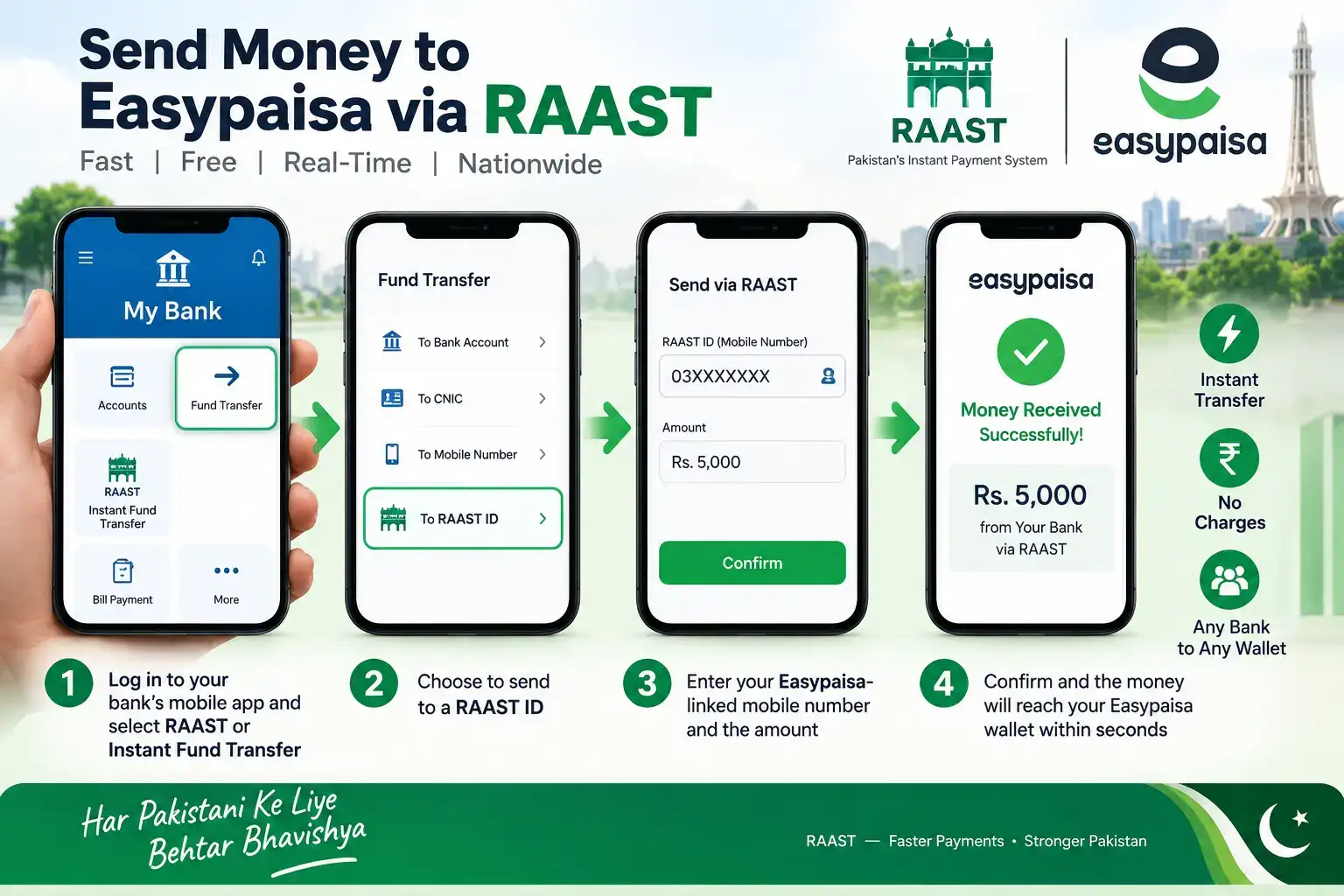
One thing worth checking before you try this: the receiving Easypaisa account actually needs a RAAST ID set up already, which usually just means the mobile number is registered and linked. If it's your own account and you've never explicitly enabled RAAST, opening the Easypaisa app and looking under account settings for a RAAST registration option takes care of it in under a minute.
If RAAST Isn't an Option: Regular Bank Transfer (IBFT)
Not every bank has rolled out RAAST support evenly, and some people just find their existing bank transfer flow more familiar anyway. In that case, a standard interbank transfer works too, since Easypaisa is technically backed by Telenor Microfinance Bank and carries its own IBAN, just like any other bank account would.
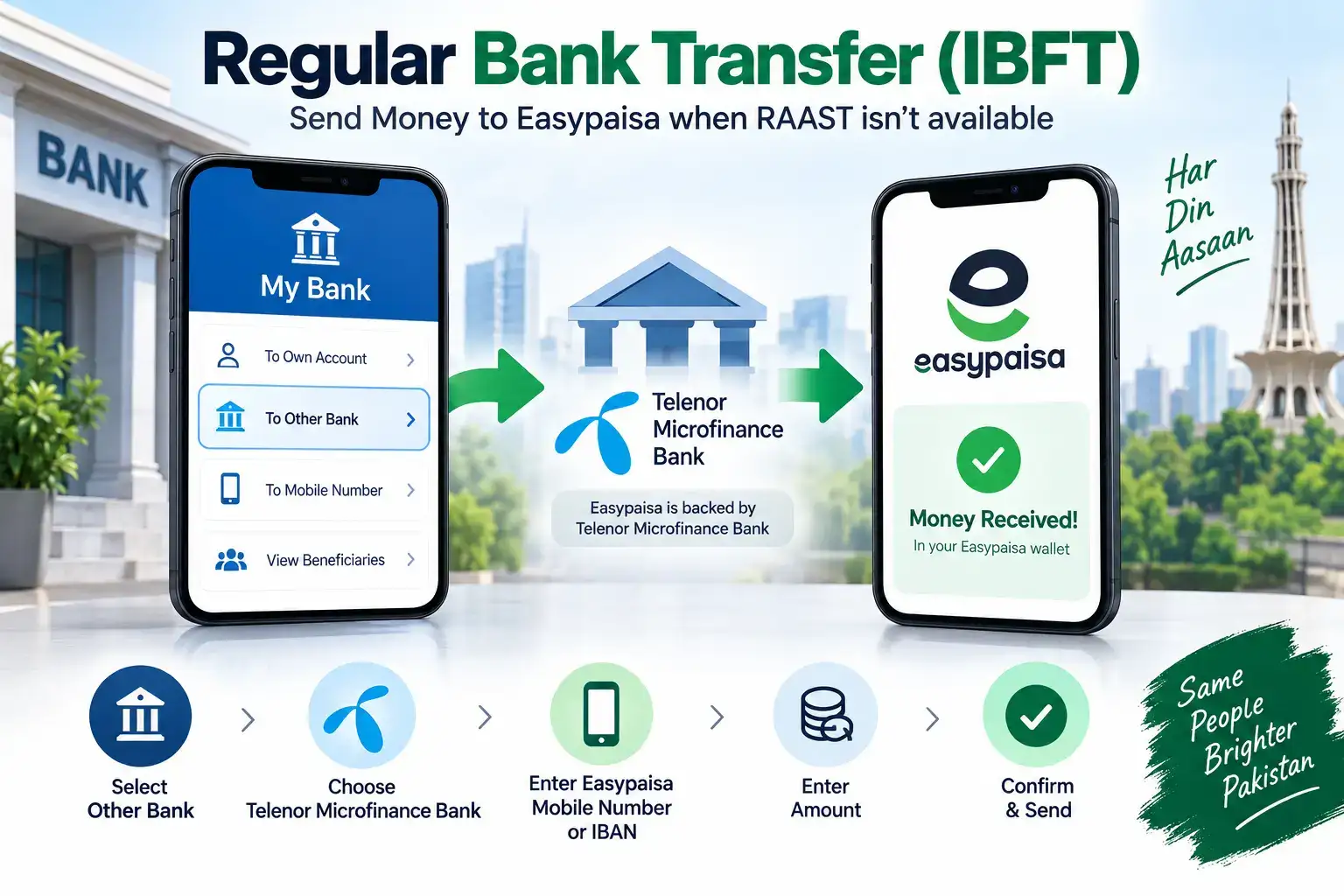
From your bank's app, choose the option to send money to another bank, select Telenor Microfinance Bank ( this is how Easypaisa typically shows up in a bank's transfer menu ), and enter either the recipient's Easypaisa linked mobile number or their full IBAN if the form asks for one specifically. This method usually comes with a small transfer fee, unlike RAAST, and while it's still generally fast, it's not always guaranteed to be instant the way RAAST transfers are.
Adding Money Directly From the Easypaisa App
There's also a third route that flips the process around entirely, instead of initiating the transfer from your banking app, you open Easypaisa itself and pull the money in from your linked bank account.
- Open the Easypaisa app and go to Add Money or Bank Transfer
- Select your bank from the list
- Log into your bank account through the secure gateway that appears ( this typically redirects you briefly to your bank's own login or authorizes through a linked debit card )
- Confirm the amount, and the funds pull directly into your Easypaisa balance
This works well if you'd rather manage the whole thing from one app without switching back and forth, though it does require your bank to actually be listed as a supported option within Easypaisa's own system, which most major banks are at this point.
Which One Should You Actually Use?
If your bank shows a RAAST option, use it, it's free and it's instant, so there's rarely a good reason to pick anything else when it's available. If RAAST isn't there, a regular IBFT bank transfer to Telenor Microfinance Bank is your next best bet, just expect a small fee and a slightly less immediate confirmation. And if you'd simply rather do everything from inside the Easypaisa app itself without hopping between two apps, the Add Money feature handles that, provided your specific bank supports it.
It's worth mentioning that if you also keep a JazzCash wallet alongside Easypaisa, and you're ever unsure which one to move money into, the decision usually just comes down to where you actually need to spend it. Since both wallets support the same RAAST and IBFT routes from your bank, there's no real advantage to funding one over the other beyond matching it to whatever payment you're trying to make, whether that's a JazzCash only merchant, an Easypaisa only biller, or simply whichever wallet a specific person you're paying happens to use.
When a Transfer Doesn't Show Up Right Away
A transfer that seems to have gone through on your bank's end but hasn't appeared in Easypaisa yet is more often a short processing delay than an actual failure, particularly with regular IBFT transfers rather than RAAST. Before assuming something's gone wrong, it's worth waiting a few minutes and checking your Easypaisa transaction history, since the money sometimes takes a moment to reflect even after your bank confirms the deduction. If it's been considerably longer than that with no update on either side, having your bank's transaction reference number ready before calling Easypaisa's helpline makes the whole troubleshooting process go a lot faster, since it gives them something concrete to trace rather than a vague description of what happened.
A wrong mobile number or IBAN entered for the recipient is the other common cause of a transfer that seems to vanish, so double checking those details against what the recipient actually gave you is always worth doing before assuming it's a technical glitch on either side.
One Thing That Can Quietly Block a Larger Transfer
If you're moving a genuinely large amount and the transaction fails without much explanation, it's worth checking your daily or monthly transfer limit before assuming something's technically broken. Both your bank and your Easypaisa account carry their own separate limits, tied to how fully verified each one is, and a transfer needs to fit within both sides' limits simultaneously to go through cleanly. This catches people off guard more than you'd expect, since a bank account might comfortably allow a large outgoing transfer, while the receiving Easypaisa wallet, if it's on a more basic verification tier, simply can't accept that much in a single day.
If this turns out to be the issue, splitting a large transfer into two smaller ones across different days is a quick workaround, though upgrading your Easypaisa account's verification level, usually by submitting a bit more documentation through the app, is the better long term fix if you find yourself needing to move larger amounts regularly.
Moving money from your bank account into Easypaisa really comes down to picking whichever of these three routes your bank actually supports, and once you've done it the first time, the same steps work identically every time after that.