04 September 2026
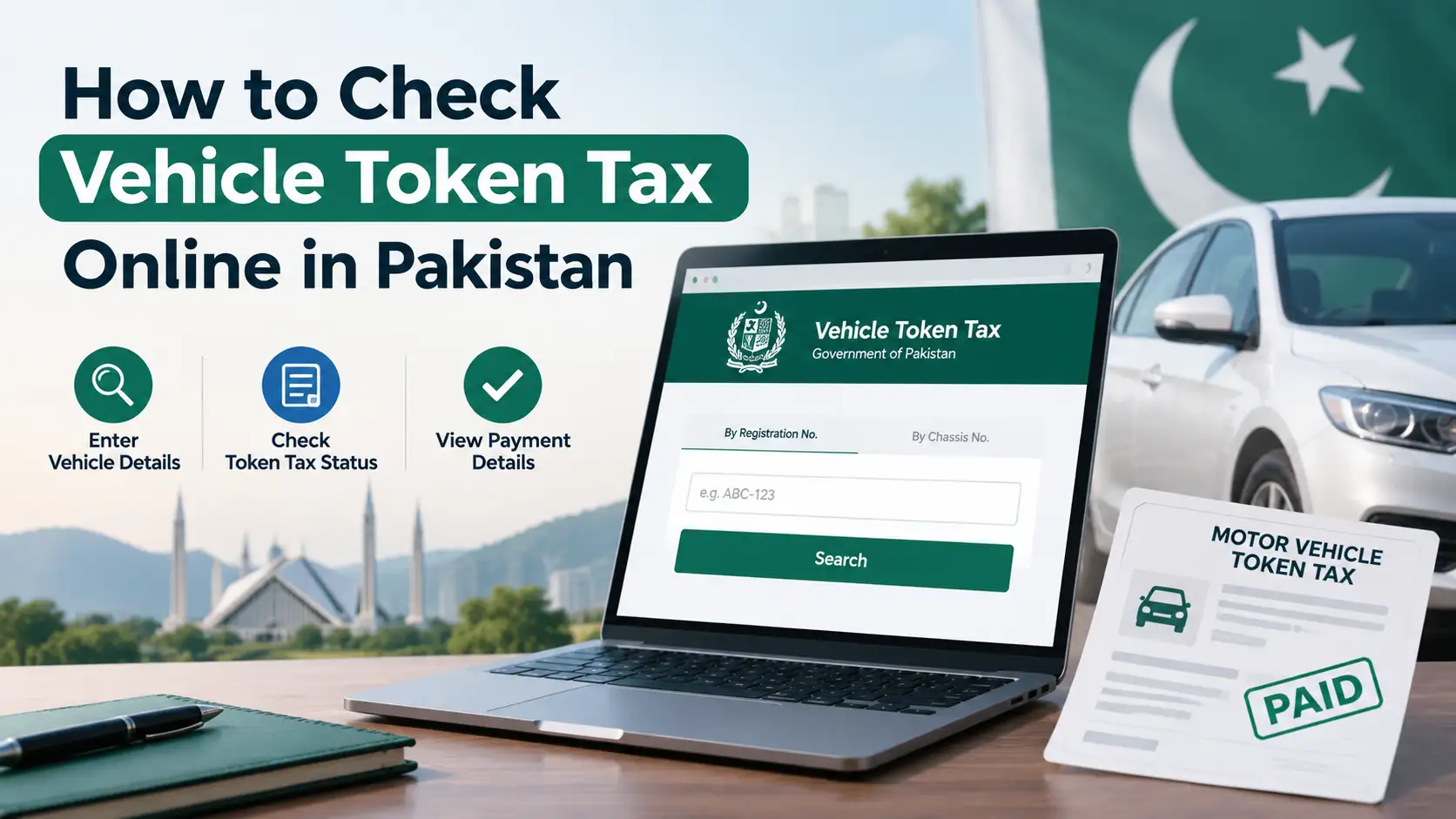
There was a time when paying token tax meant setting aside an entire morning, standing in line at the Excise office, and hoping you had the right documents with you. That's mostly a thing of the past now. In most of Pakistan, and especially in Punjab, you can pay your vehicle's token tax entirely from your phone, without ever stepping into a government office. Here's exactly how to do it.
What You Need Before You Start
Before opening any app or website, make sure you have your vehicle's registration number on hand, exactly as it appears on your number plate. This is the key piece of information every payment system uses to pull up your vehicle's record and calculate what you owe. It also helps to have your CNIC handy, since some payment steps ask for it to confirm ownership details.
Paying Token Tax in Punjab Through e-Pay Punjab
Punjab's official channel for this is the e-Pay Punjab app, the province's centralized platform for government payments, which covers token tax alongside services like property tax and other Excise dues.
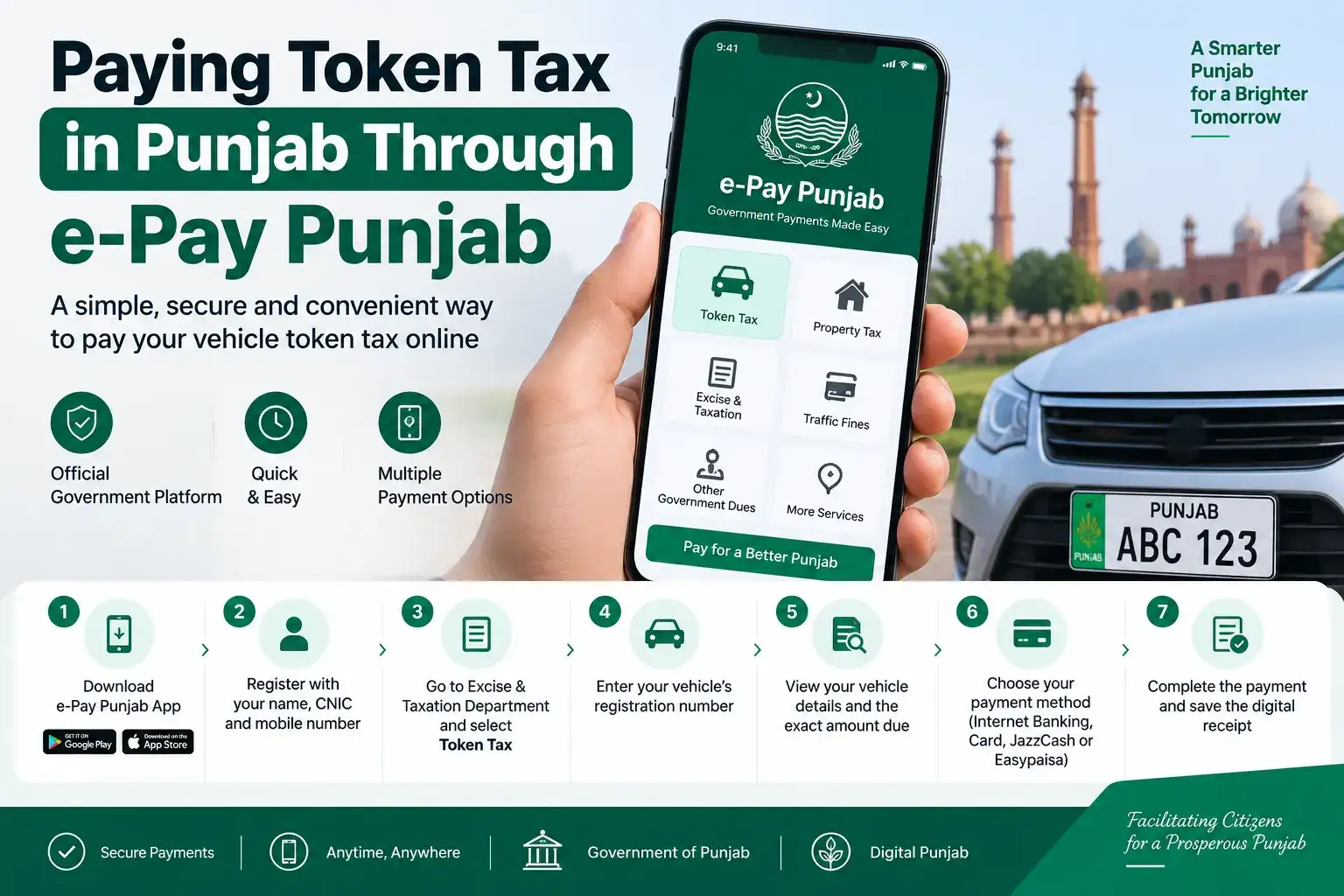
Here's how the process generally works:
- Download the e-Pay Punjab app from the Google Play Store or Apple App Store
- Register using your name, CNIC, and mobile number
- Navigate to the Excise and Taxation Department section, and select Token Tax
- Enter your vehicle's registration number
- The app will display your vehicle details along with the exact amount due
- Choose your payment method, internet banking, a debit or credit card, or a mobile wallet like JazzCash or Easypaisa
- Complete the payment and save the digital receipt that gets generated
Once paid, this amount reflects on MTMIS as well, so if you or anyone else checks your vehicle's status afterward, it'll show as paid rather than pending.
Paying Through Your Bank's Mobile App
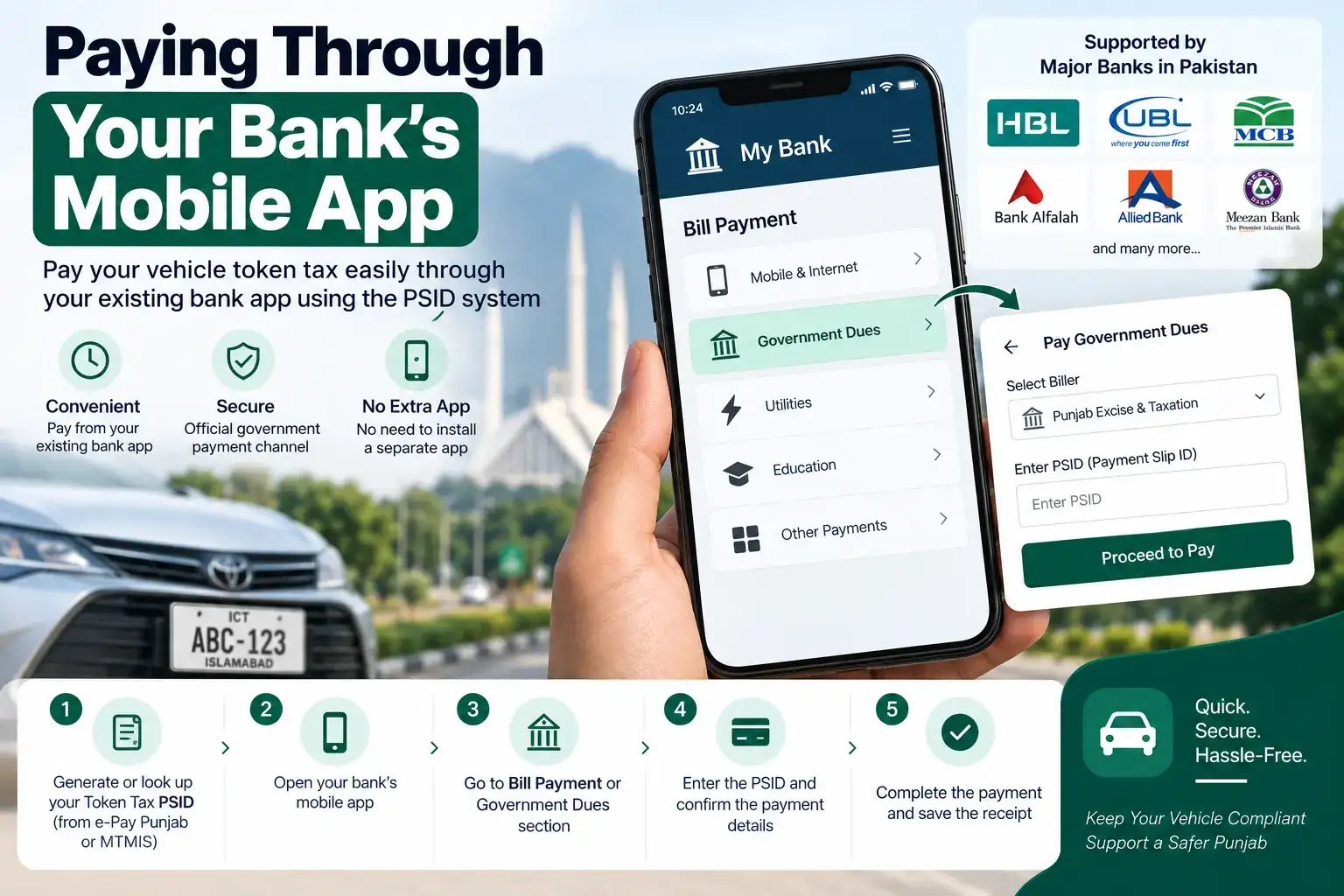
If you'd rather not install a separate government app, most major Pakistani banks now support token tax payment directly through their own mobile banking apps, using the same PSID ( Payment Slip ID ) system that government payments run on. You'd typically generate or look up your token tax PSID first ( either through e-Pay Punjab or MTMIS ), then enter that PSID in your bank's bill payment or government dues section to complete the transaction. This is convenient if you already do most of your banking through one particular app and would rather not juggle multiple logins.
Paying Through JazzCash or Easypaisa Directly
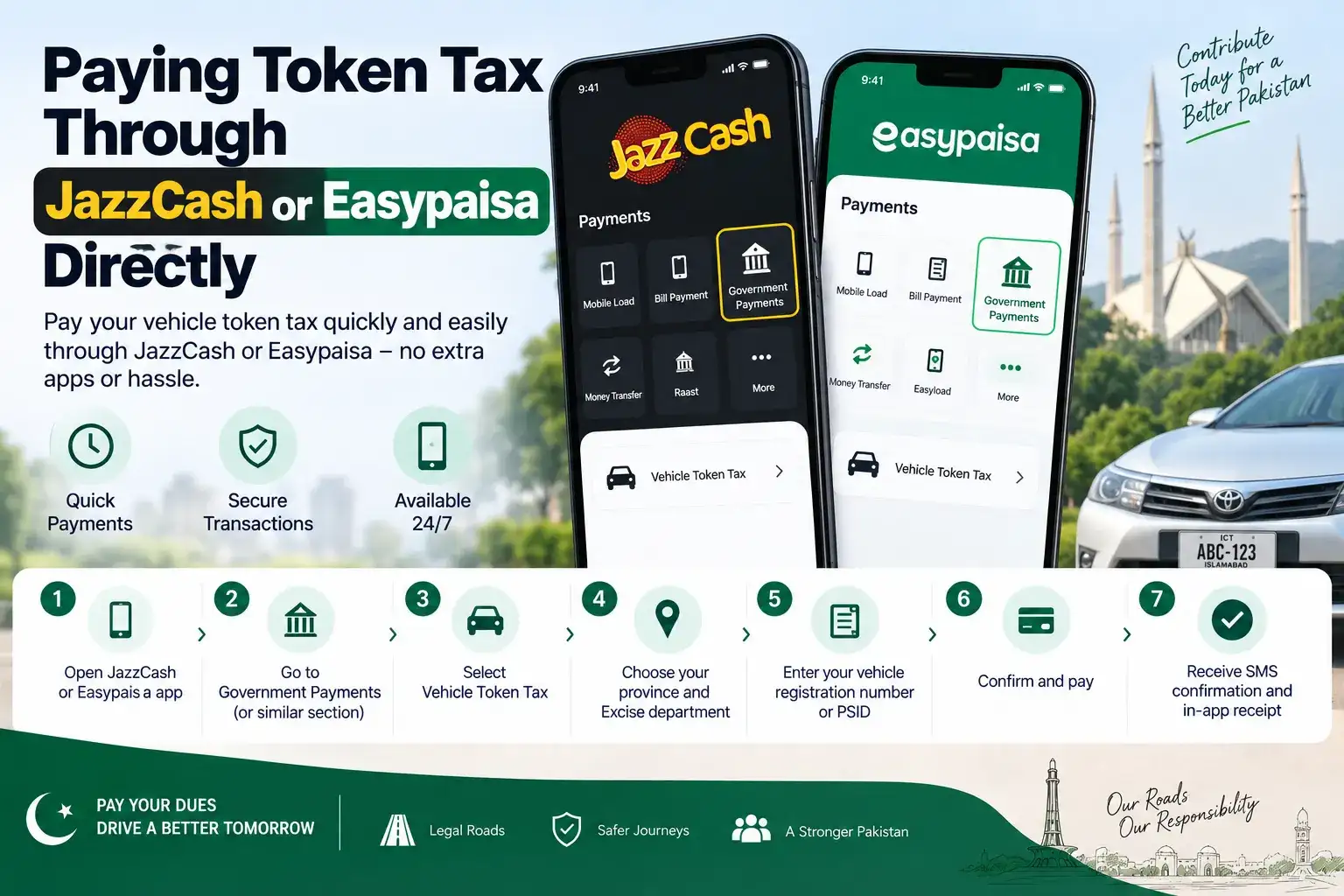
Both JazzCash and Easypaisa also support token tax payment as part of their government payments or utility bill sections. The steps are fairly similar to how you'd pay an electricity bill through these apps: open the app, look for Government Payments or a similarly labeled section, select vehicle token tax, choose your province and Excise department, then enter your vehicle registration number or PSID to pull up the amount due. Confirm and pay, and you'll get an SMS confirmation along with an in-app transaction record.
Paying Through an ATM
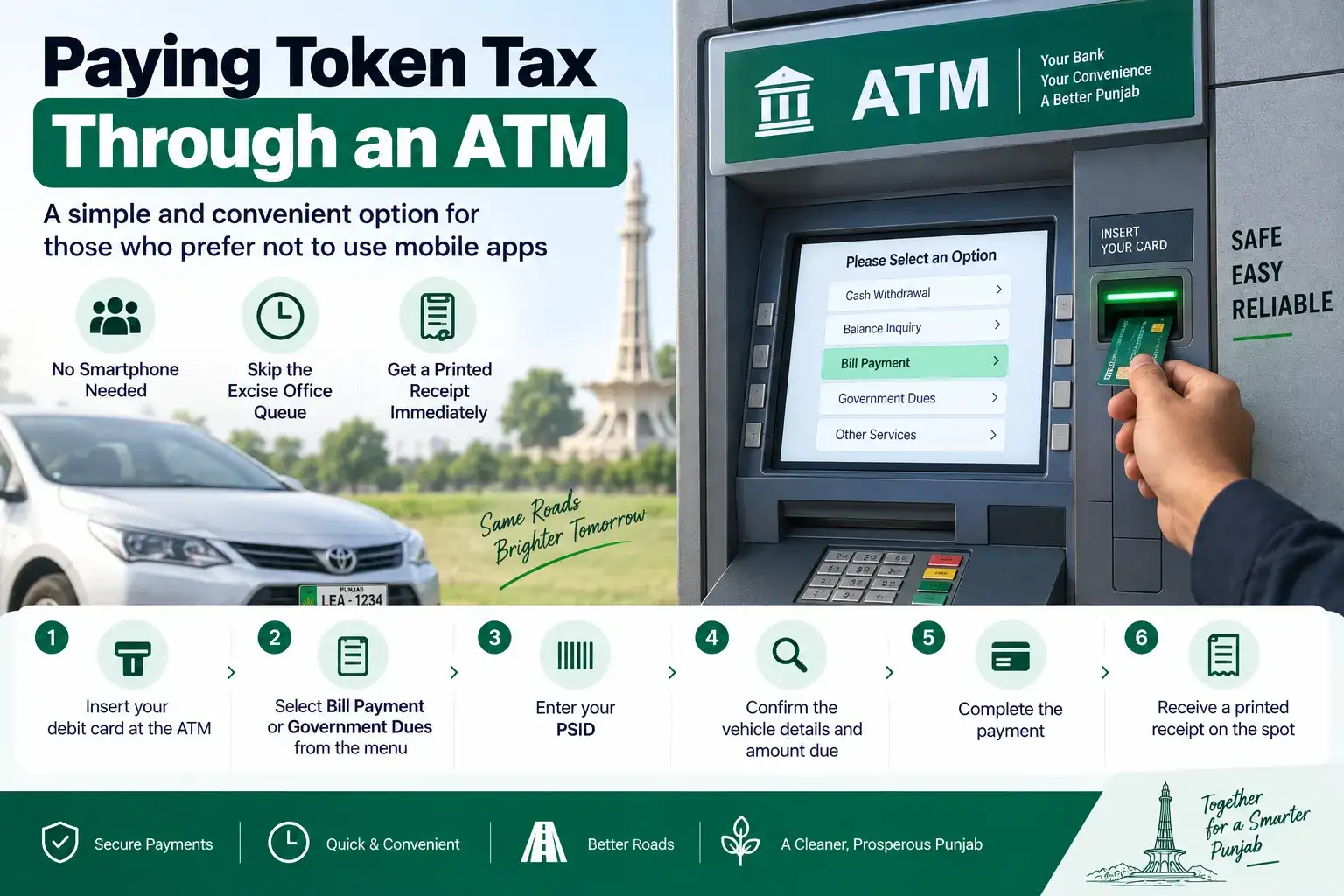
If you'd rather not use a smartphone app at all, several banks allow token tax payment through their ATMs as well, provided you already have your PSID generated. You'd typically select the bill payment or government dues option on the ATM screen, enter your PSID, confirm the amount, and complete the payment, receiving a printed receipt on the spot. This option is particularly useful for people who aren't comfortable with mobile banking but still want to skip the Excise office queue.
Paying at a Bank Branch or Excise Office in Person
If you prefer paying in person, or your specific vehicle category isn't cooperating with the online systems for some reason, visiting a designated bank branch or your local Excise office remains a completely valid option. Just bring your vehicle's registration details and be ready to pay the amount confirmed by the counter staff, and you'll receive a physical receipt as proof of payment.
Motorcycles and Commercial Vehicles
The same online payment process applies whether you're paying for a car, a motorcycle, or a commercial vehicle like a truck or bus, you'll just be selecting the relevant vehicle category during the payment process, and the amount due will be calculated accordingly based on your vehicle's engine capacity or classification.
What Happens After You Pay
Once your payment goes through, it's worth saving the digital receipt or PSID confirmation somewhere accessible, since this becomes your proof of payment if there's ever a discrepancy or delay in the system reflecting your updated status. Most payments update on MTMIS or your provincial Excise system within a short window, though it can occasionally take a bit longer to sync fully, especially during high-traffic periods like the weeks leading up to a fiscal year-end when a lot of people are paying at once.
What If the Payment Doesn't Go Through Properly
Sometimes a payment gets deducted from your account but doesn't immediately reflect as paid on the Excise system, this happens occasionally due to processing delays between the payment gateway and the government's database. Before assuming something went wrong, check your transaction history in whichever app you used, since the confirmation there is your actual proof of payment regardless of what the Excise portal shows in the meantime. If it still hasn't updated after a few days, contacting your bank or wallet provider with the transaction ID, or visiting your local Excise office with the receipt, will help sort it out.
Avoiding Late Fees
Token tax typically needs to be paid annually, and missing the deadline usually means a penalty gets added on top of the base amount, with the surcharge generally increasing the longer the payment is delayed. Since checking your status takes barely a minute through MTMIS or e-Pay Punjab, it's worth building a habit of checking once every few months, or at least around the same time each year, so you're not caught off guard by an accumulated penalty you didn't see coming.
Frequently Asked Questions
What's the easiest way to pay vehicle token tax online in Pakistan?
In Punjab, the e-Pay Punjab app is the official and most straightforward option, letting you pay directly through internet banking, cards, or mobile wallets.
Can I pay token tax through JazzCash or Easypaisa?
Yes, both apps support token tax payment under their government payments or bill payment sections, using your vehicle's registration number or PSID.
Do I need to visit an office to pay token tax?
No, in most cases you can pay entirely online through e-Pay Punjab, your bank's app, JazzCash, Easypaisa, or even an ATM using your PSID.
What happens if my payment doesn't show as reflected right away?
It can take a short while to sync with the Excise database. Save your transaction confirmation as proof, and if it doesn't update after a few days, follow up with your bank or the Excise office directly.
What happens if I miss my token tax deadline?
A late penalty typically gets added, and it generally increases the longer the payment remains outstanding, so it's best to pay as close to your due date as possible.
Check for Early Payment Discounts Before You Pay
Before you go ahead and pay, it's worth checking whether your province is currently offering any early payment discount, since some Excise departments periodically run promotional windows, particularly at the start of a fiscal year, where paying your token tax within a specific timeframe gets you a percentage off the standard amount. These discount periods aren't permanent or guaranteed every year, so the smartest move is to check the amount shown on e-Pay Punjab or MTMIS right before paying rather than assuming last year's rate or offer still applies, since a lower figure than you expected usually just means a discount window happens to be active rather than an error in the system.
Paying your vehicle's token tax online really doesn't take more than a few minutes once you have your registration number ready. Whether you go through e-Pay Punjab, your bank's app, or a wallet like JazzCash or Easypaisa, you can knock this out from your phone and skip the office queue entirely.