25 August 2026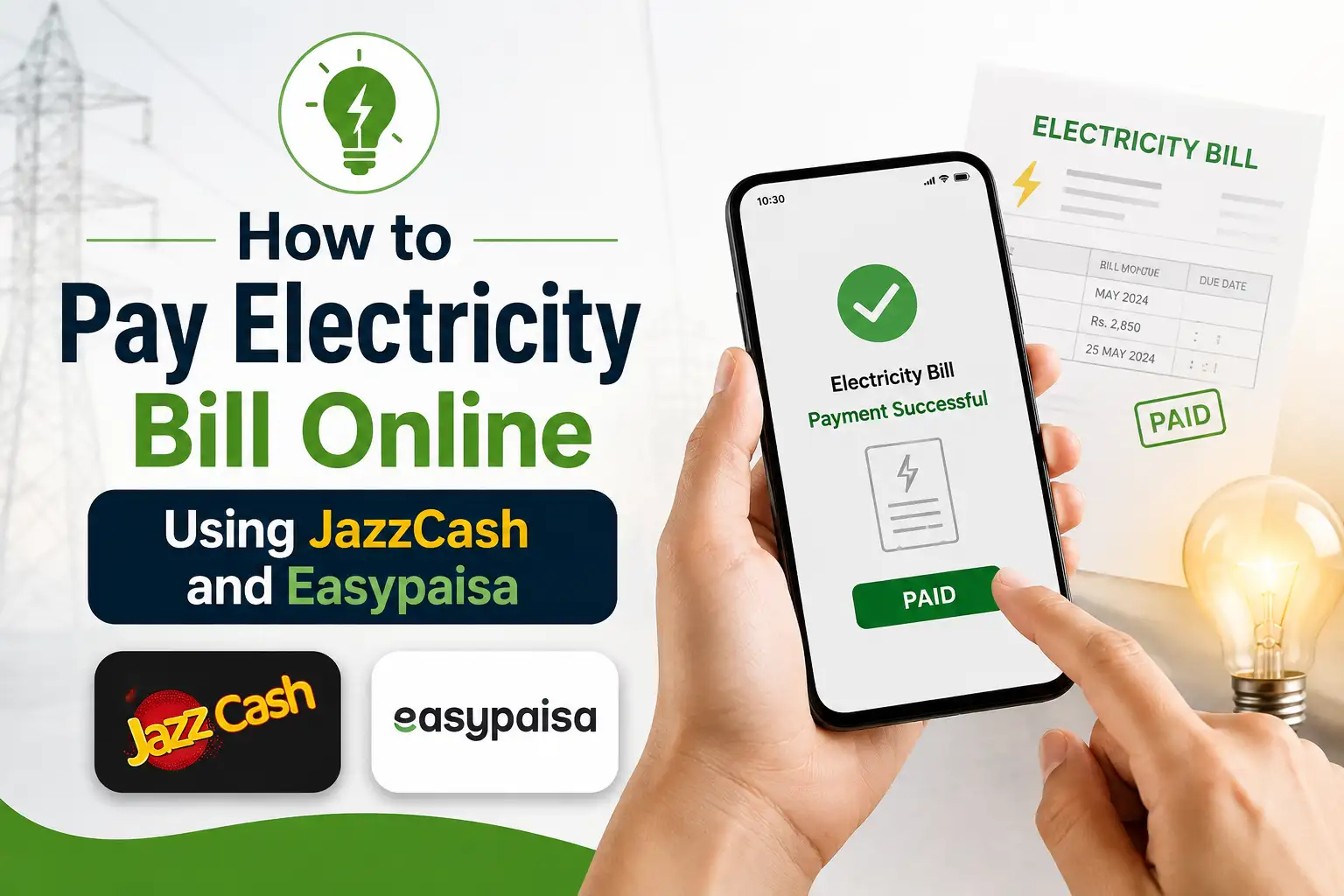
Standing in a long bank queue just to pay your electricity bill is one of those chores nobody misses once they stop doing it. These days, you can settle your bill from your phone in under two minutes, whether you're using JazzCash or Easypaisa, without stepping outside your house. Here's exactly how it works, step by step.
What You Need Before You Start
Before opening either app, make sure you have your 14 digit reference number handy. This number is printed on your paper bill, usually near your name and address, and it's what both apps use to pull up your exact bill amount and due date. Without it, neither app can locate your account, so it's worth keeping it saved somewhere on your phone if you pay bills often.
Both JazzCash and Easypaisa work with every major electricity company in the country, including LESCO, MEPCO, FESCO, IESCO, GEPCO, PESCO, HESCO, SEPCO, and QESCO. K-Electric bills in Karachi are also supported, so no matter which region you're in, the process stays pretty much the same.
How to Pay Through JazzCash
JazzCash makes this fairly simple, and the whole thing takes barely a minute once you're familiar with it.
- Open the JazzCash app and log in with your PIN
- Tap on Bill Payment or Utility Bills on the home screen
- Select Electricity from the list of categories
- Choose your DISCO (like LESCO, MEPCO, FESCO, and so on) from the list
- Enter your 14 digit reference number
- Review the amount and due date that show up on screen
- Confirm the payment using your MPIN
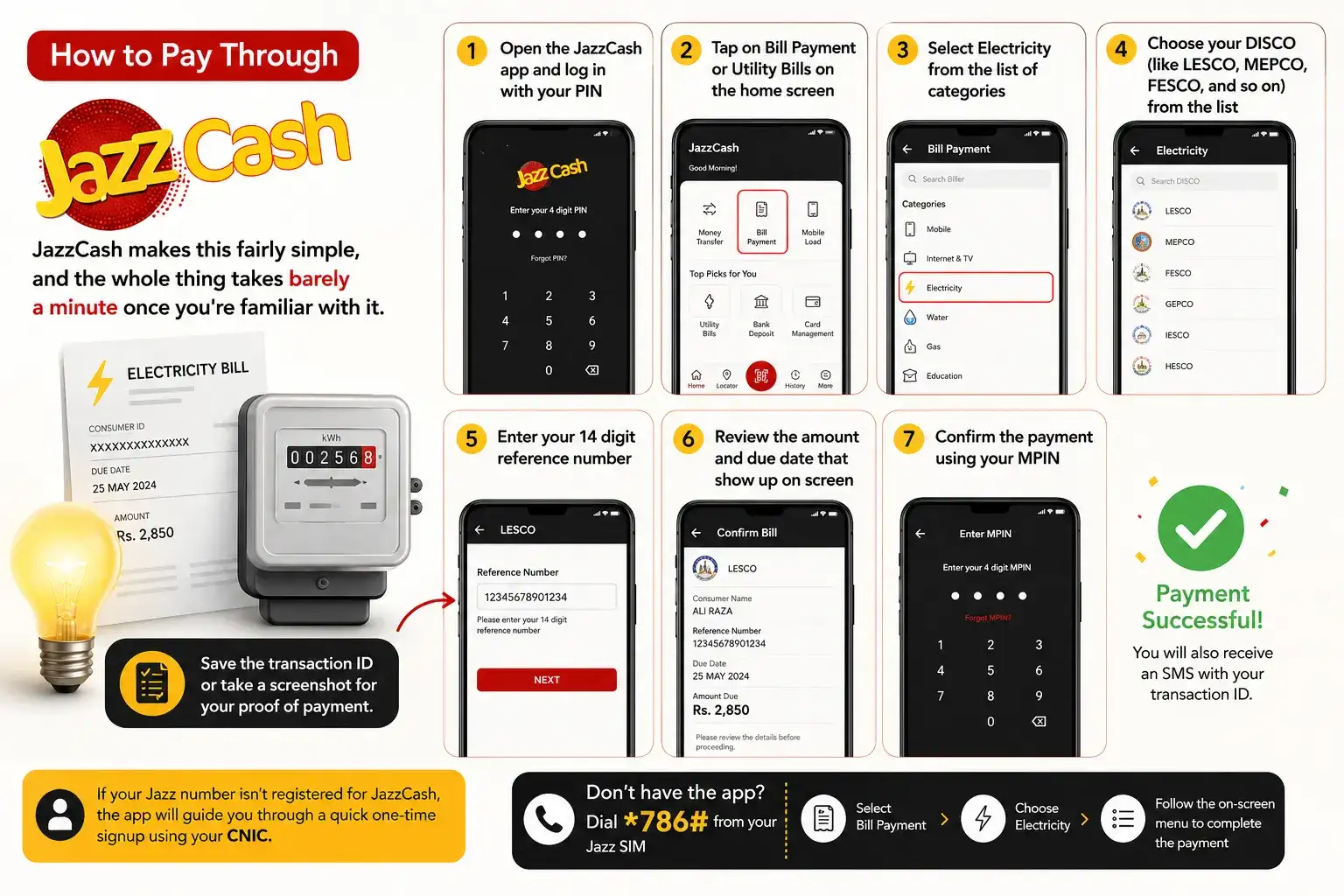
Once the payment goes through, you'll see a success screen along with an SMS containing a transaction ID. It's a good habit to save that ID or take a screenshot, since it works as your proof of payment until the amount reflects as cleared on your next bill.
If your Jazz number isn't already registered for JazzCash, the app will walk you through a quick one-time signup using your CNIC before you can complete the payment.
If you don't have the app installed, you can also dial *786# from a Jazz SIM, select the bill payment option, and follow the on screen menu to complete the same transaction through USSD.
How to Pay Through Easypaisa
Easypaisa follows a very similar flow, so if you've used JazzCash before, this will feel familiar.
- Open the Easypaisa app and sign in with your PIN
- Tap Bill Payments, then select Electricity
- Pick your DISCO from the company list
- Enter your reference number and continue
- Review the amount and due date shown on screen
- Pay from your Easypaisa balance and confirm
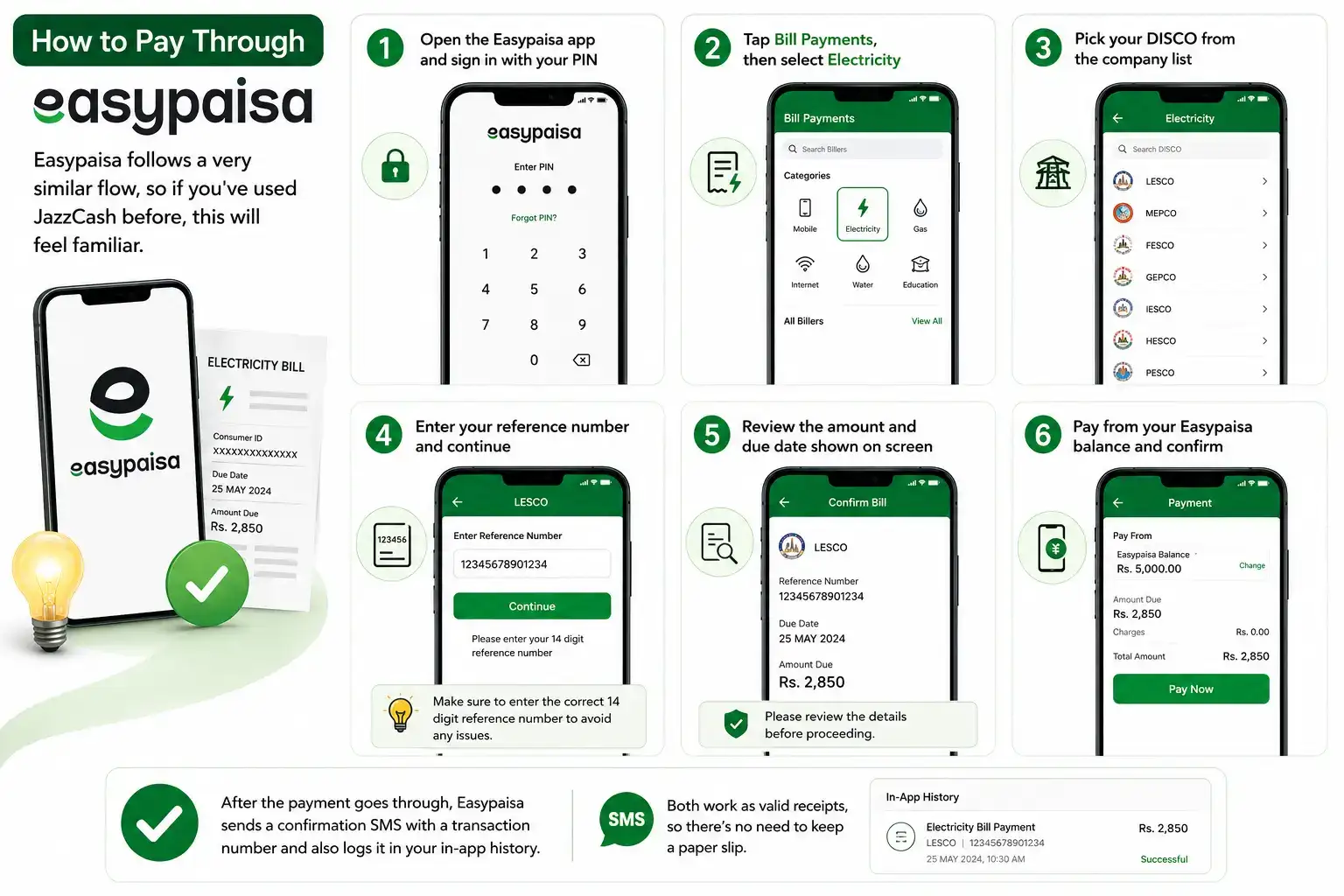
After the payment goes through, Easypaisa sends a confirmation SMS with a transaction number and also logs it in your in-app history. Both work as valid receipts, so there's no need to keep a paper slip.
Paying Through an Agent Instead of the App
If you don't have a JazzCash or Easypaisa account of your own, or you'd simply rather hand over cash, both networks have agents almost everywhere, even in smaller towns. Just visit any JazzCash or Easypaisa shop, give them your bill or reference number along with the cash amount, and they'll process the payment on the spot. You'll get a printed or SMS receipt either way, so make sure you don't leave without one.
Fees, Limits, and How Long It Takes to Reflect
Paying through your own wallet balance in the app is usually free or involves a very minor charge, while paying through an agent may include a small service fee, typically somewhere between Rs. 20 to 50 depending on the amount. Both apps also have daily and monthly transaction limits tied to your account verification level, so if you're paying a particularly large commercial bill, it's worth checking your limit beforehand.
As for timing, most payments reflect in the DISCO's system within a few hours, though it can occasionally take up to 24 to 48 hours to fully update. If your bill still shows as unpaid a day or two later despite receiving a confirmation SMS, there's no need to panic the transaction ID you saved is proof enough if the matter ever needs to be sorted out with your DISCO.
What to Do If the Bill Won't Load or the Amount Looks Wrong
Sometimes you'll enter your reference number and nothing shows up, or the amount displayed doesn't match what you expected. This usually happens if the number was typed incorrectly, if there's a temporary sync delay between your DISCO and the app, or if your bill was already paid recently and hasn't updated at your end yet. Double checking the reference number against your printed bill is the first thing to try. If the issue continues, checking your bill directly on your DISCO's official website can help confirm whether the amount is accurate before you go ahead and pay.
A Few Tips to Avoid Common Mistakes
It helps to always double check the reference number before confirming payment, since a single wrong digit can pull up someone else's bill entirely. If you don't get a confirmation SMS within a few minutes of paying, check your transaction history in the app before trying again, so you don't end up paying the same bill twice by mistake.
Frequently Asked Questions
Can I pay any DISCO's electricity bill through JazzCash or Easypaisa?
Yes, both apps support all major DISCOs across Pakistan, including K-Electric for Karachi users.
Do I need a bank account to pay through JazzCash or Easypaisa?
No, you only need a registered JazzCash or Easypaisa mobile wallet account, which can be set up using your CNIC and mobile number.
Is there a fee for paying electricity bills through these apps?
Paying from your wallet balance is usually free or very low cost, while paying through an agent may involve a small service fee.
How long does it take for the payment to reflect?
Most payments reflect within a few hours, though it can occasionally take up to 24 to 48 hours to fully update in the DISCO's system.
What if I don't have the JazzCash or Easypaisa app installed?
You can dial *786# on a Jazz SIM for USSD based bill payment, or visit any JazzCash or Easypaisa agent and pay in cash.
Paying Through a Bank App as an Alternative
JazzCash and Easypaisa aren't the only mobile options out there. If you already have a bank account with a decent mobile banking app, most Pakistani banks now let you add your electricity bill as a biller and pay it in a couple of taps too, often with saved billers so you don't need to re enter your reference number every month. The process is nearly identical: open your bank's app, look for a "Bill Payment" or Utility Bills section, select Electricity, choose your DISCO, and enter your reference number.
The main advantage of going through a bank app rather than a wallet is that you get a proper account statement and transaction history tied to your actual bank account, which some people prefer for record keeping, especially for business or rental properties. On the flip side, JazzCash and Easypaisa tend to be faster to set up if you don't already have online banking active, since wallet registration only needs your CNIC and mobile number rather than a full bank account.
Setting Up Auto Pay So You Never Miss a Bill
If you're someone who tends to forget due dates, both JazzCash and Easypaisa support setting up recurring or auto debit payments for regular billers like electricity, so your bill gets paid automatically each month without you needing to open the app at all. This option is usually tucked under the same Bill Payment section, sometimes labeled as Auto Pay or Standing Instruction.
This is particularly worth setting up if you've ever been hit with a late payment surcharge in the past, since DISCOs typically add a percentage based penalty once a bill goes unpaid past its due date, and that penalty only grows the longer it sits. Setting up auto pay once means you never have to think about it again, though it's still smart to glance at your bill amount occasionally just to make sure nothing unusual is being charged before it's automatically deducted.
Which Method Should You Actually Use?
With so many options available, it's fair to wonder which one is genuinely the best fit. If you already use JazzCash or Easypaisa regularly for other transactions, sticking with the same app for your electricity bill just makes sense, since your wallet balance and payment history are already in one place. If you prefer things tied to your actual bank account for record keeping purposes, a banking app is worth setting up instead. And if you don't have a smartphone or a wallet account at all, visiting a JazzCash or Easypaisa agent in person remains a completely reliable fallback that works just as well.
Paying your electricity bill online through JazzCash or Easypaisa really does save you the hassle of standing in line, and once you've done it once or twice, it becomes second nature. Just keep your reference number handy, double-check the amount before confirming, and you're done in under two minutes.