
 18 August 2026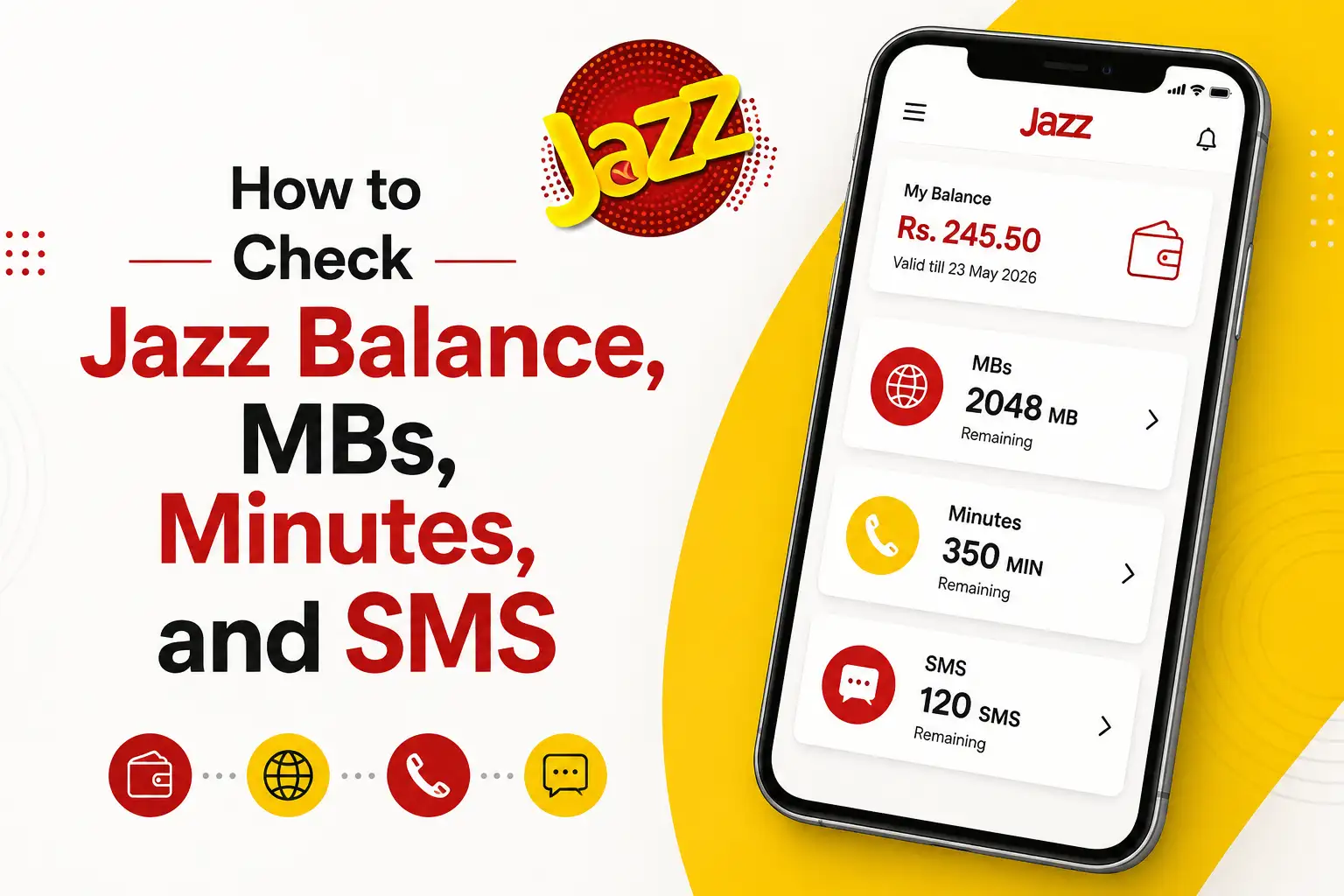
If you've ever sent a text and had it fail, or tried to make a call only to hear that annoying "insufficient balance" recording, you already know how important it is to keep track of what's left on your Jazz SIM. The good news is that checking your balance, remaining MBs, minutes, or SMS takes just a few seconds once you know the right codes and tools to use. Here's a complete rundown of every method that actually works.
Check Your Main Account Balance
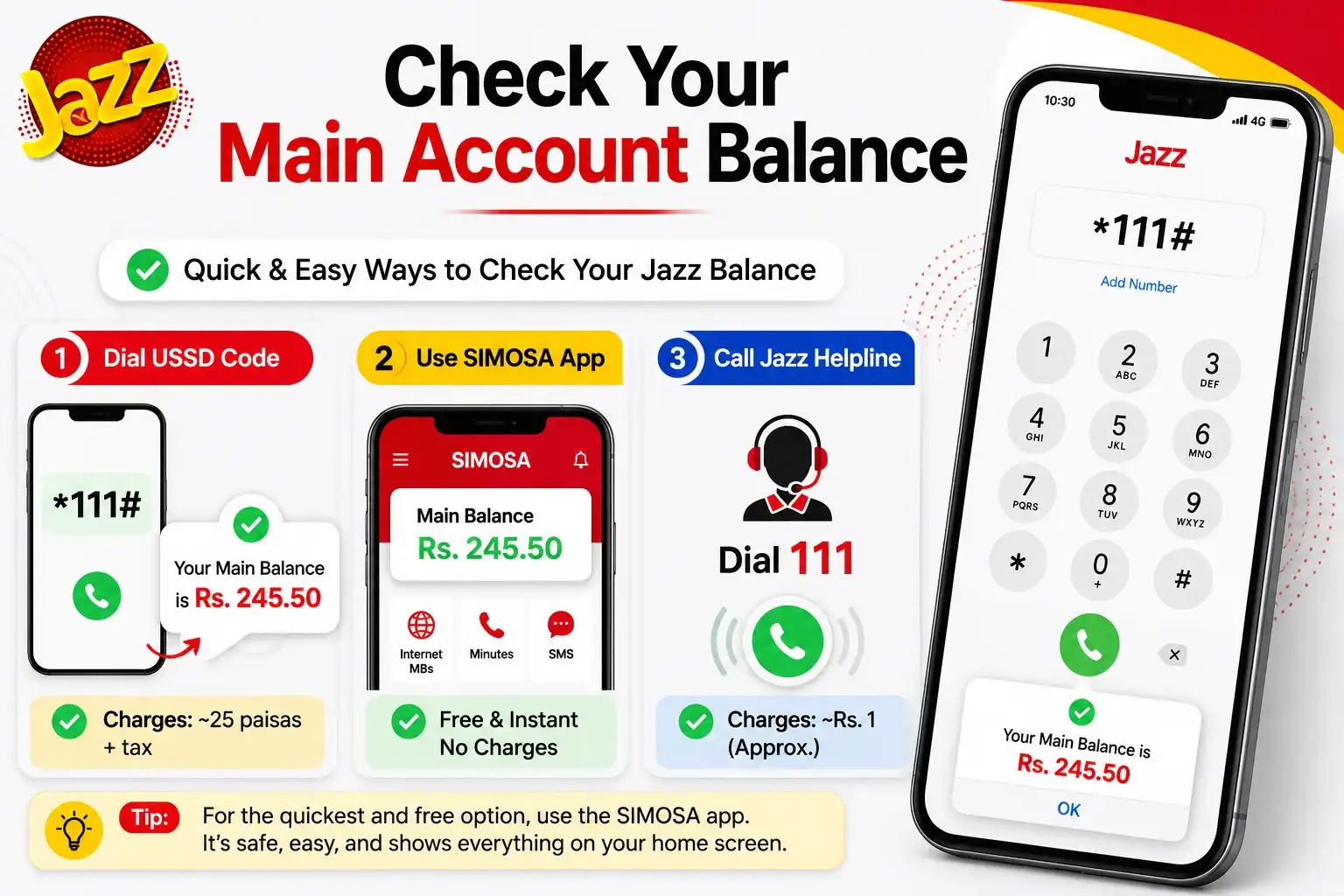
This is the one most people already know, but it's worth starting here since it's the quickest option when you're not sure how much credit you have left overall.
Simply dial *111# from your Jazz SIM and press call. Within a couple of seconds, a flash message will pop up showing your current balance. Keep in mind Jazz charges a small fee for this, usually around 25 paisas plus tax, so if your balance is already at zero, the code might not even go through.
If you'd rather not pay even that small amount, you can check your balance for free through the SIMOSA app (formerly known as Jazz World). Just open the app after logging in with your Jazz number, and your balance shows up right on the home screen no charges involved.
You can also dial the Jazz helpline at 111 and ask a representative directly, though this usually costs a rupee or so and takes a bit longer than the other options.
Check Your Remaining MBs (Internet Data)
This one trips people up the most because there's no single universal code — it depends on which internet package you're subscribed to. The trick is simple though: take your package's subscription code and add *2# to the end of it.
For example:
- If your weekly internet package code is 11747#, checking your remaining data becomes 11747*2#
- If you're on a monthly premium package with the code 11730#, checking your data becomes 11730*2#
So no matter what package you're using, just remember: subscription code + *2# = remaining data check.
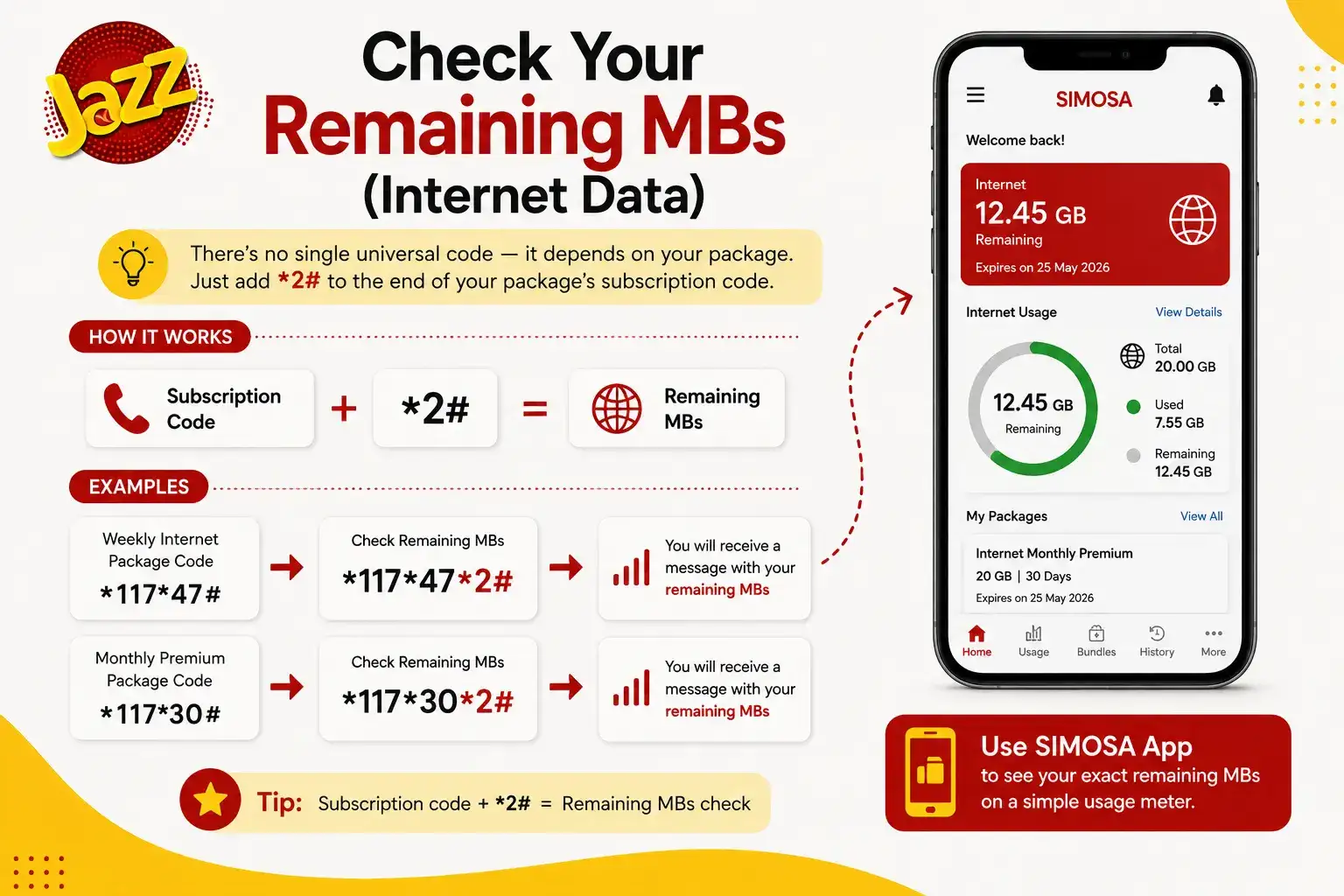
If keeping track of different codes for every plan feels like a hassle (and honestly, it usually does), the SIMOSA app solves this problem completely. It shows your exact remaining MBs on a simple usage meter without you needing to memorize anything.
Check Your Remaining Minutes
The same *2# rule applies here too. Whatever call package you've subscribed to, add *2# after its activation code, and you'll get an SMS or flash message back with your remaining minutes, split between on net (Jazz to Jazz) and off net (other networks) if your package includes both.
If you don't remember your package's exact code, dialing *443# will show you a list of all your currently active packages, which makes it much easier to figure out which code you actually need to check next.
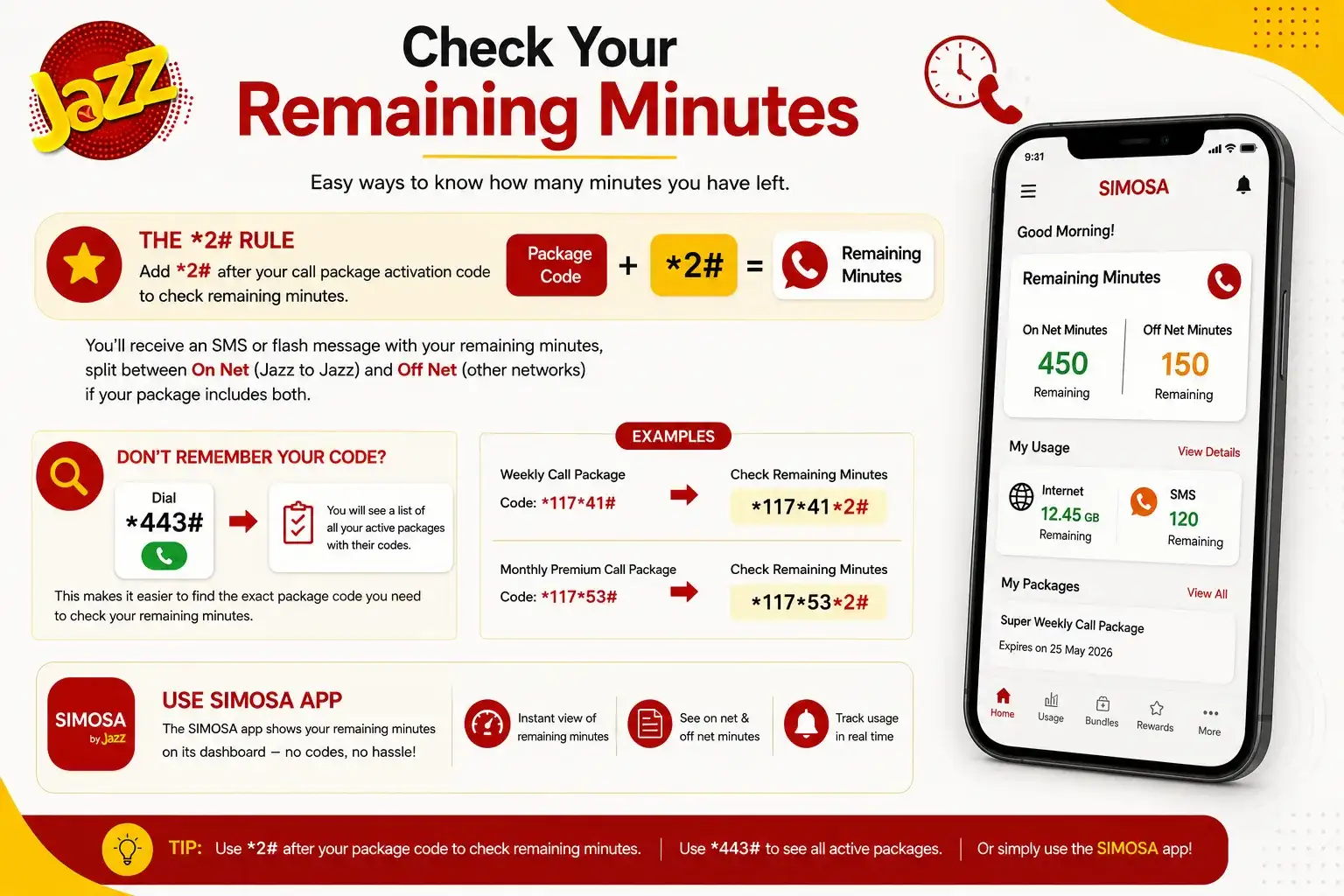
Again, the SIMOSA app makes this a lot less painful it displays your remaining minutes on its dashboard without any code memorization at all.
Check Your Remaining SMS
Checking leftover SMS follows the exact same pattern as data and minutes. Add *2# to your active SMS or bundle package code, and you'll receive your remaining message count.
If you're on a general or default package rather than a specific SMS bundle, dialing *101*2# will usually pull up your available SMS details as well.
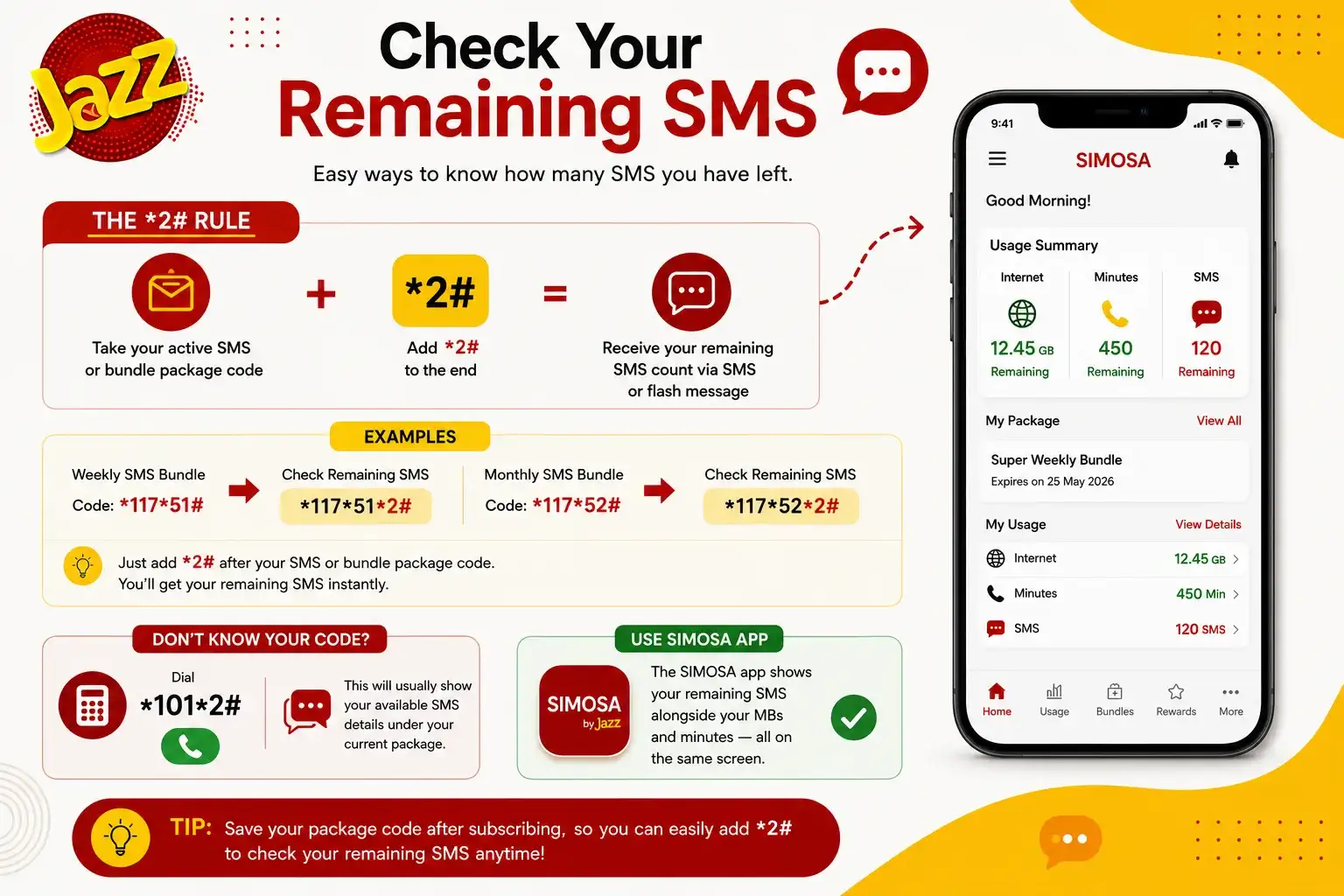
And once more, if you're someone who just wants everything in one place without dialing multiple codes, the SIMOSA app shows your remaining SMS count alongside your MBs and minutes, all on the same screen.
The Easiest Way: Just Use the SIMOSA App
If there's one takeaway from all of this, it's that the SIMOSA app (Jazz's rebranded and upgraded version of Jazz World) genuinely makes life easier. Instead of remembering different USSD codes for every single package, you get one dashboard showing your balance, remaining data, minutes, and SMS all at once, completely free of charge.
To get started:
- Download SIMOSA from the Google Play Store or Apple App Store
- Register or log in using your Jazz number
- Once you're in, your balance and remaining resources appear right on the home screen
It's especially useful if you're someone who juggles multiple packages at once and doesn't want to keep track of separate codes for each one.
A Few Things Worth Knowing
Checking your balance through *111# does come with a small charge, so if you're checking frequently just to be safe, it can add up over time the app avoids this entirely. Also, if a code doesn't seem to work, it's usually because your package has expired or changed, so dialing *443# first to confirm your active packages can save you some confusion.
Frequently Asked Questions
What is the code to check Jazz balance?
Dial *111# from your Jazz SIM to see your current account balance.
How do I check remaining MBs on Jazz?
Add *2# to the end of your internet package's subscription code, or check it for free through the SIMOSA app.
Is there one code to check minutes for every Jazz package?
No, the code depends on your specific package. Add *2# after your package's code, or use the SIMOSA app for a code free option.
Does checking Jazz balance cost money?
Yes, dialing *111# usually costs a small fee (around 25 paisas plus tax). Checking through the SIMOSA app is completely free.
How can I see all my active Jazz packages at once?
Dial *443# to get a list of your currently active packages along with their status.
Checking Balance on a Jazz Postpaid Account
Everything covered so far mostly applies to prepaid users, but if you're on a Jazz postpaid plan, the process works a little differently since you're not checking a "balance" in the traditional sense you're checking your current bill amount and remaining bundle resources instead. Dialing *111# on a postpaid line usually won't give you the same result it does for prepaid, so don't be surprised if it doesn't work the way you expect.
Instead, postpaid users should dial *1111# to get a summary of their current bill, credit limit, and any remaining free resources included in their plan. The SIMOSA app works for postpaid accounts too, and honestly, it's the more reliable option here since postpaid billing can involve a few more moving parts like your bill cycle, credit limit, and add on charges that a simple USSD code doesn't always capture clearly. If you're ever unsure whether a number you're seeing is accurate, logging into the app or calling 111 to confirm with a representative is generally safer than relying on a code alone.
At the end of the day, whether you prefer quick USSD codes or a single app that shows everything at once, staying on top of your Jazz balance, data, minutes, and SMS is simple once you know where to look.






